
Building a Favorite (Favorite) and Member Management Feature in Vibecoding Lesson 59
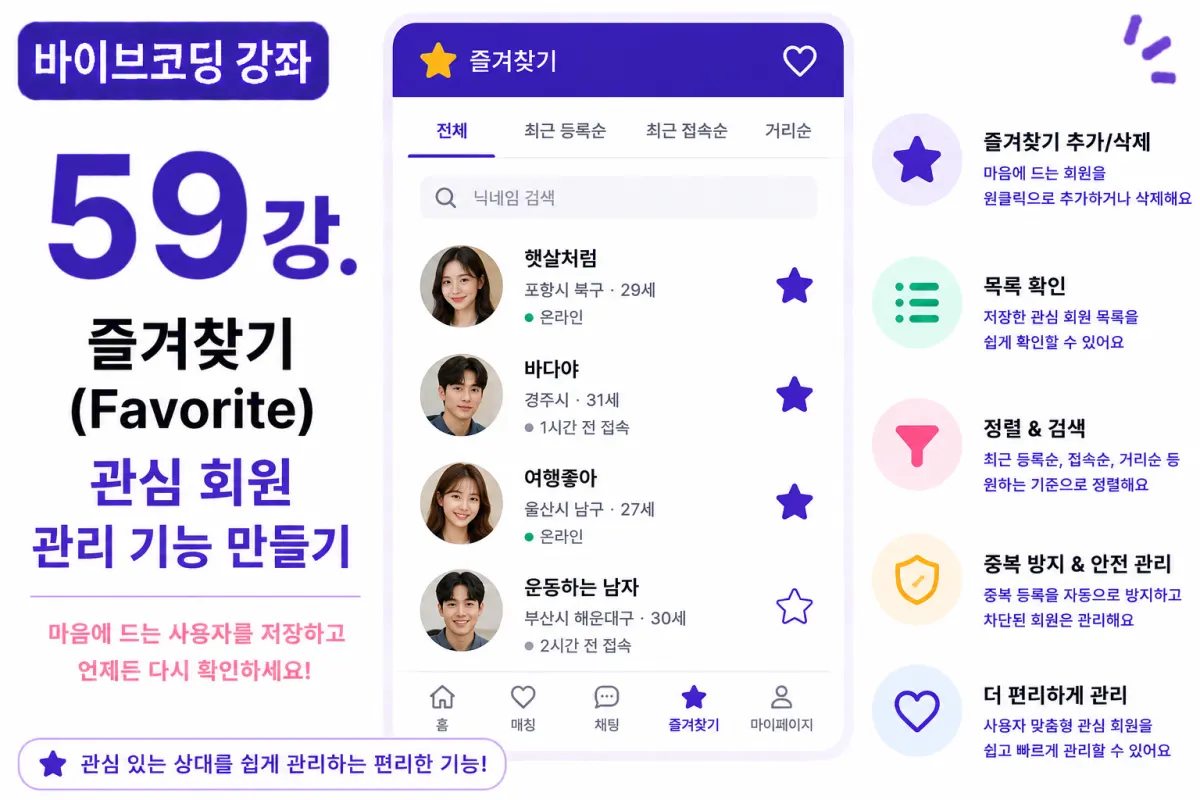
What You'll Learn in This Lesson
In the previous lesson, we implemented member search (Search) and advanced filtering features.
Now users can easily find matches based on their preferred conditions.
This lesson will focus on implementing a Favorite feature that allows users to save members they're interested in.
You'll learn the following:
Adding favorites
Removing favorites
Viewing favorite lists
Preventing duplicates
Sorting functionality
User experience enhancements
By the end of this lesson, you'll be able to efficiently manage members you're interested in.
Why a Favorite Feature Is Needed
As users browse through members, they may want to revisit certain profiles later.
However, the recommended list keeps changing.
The favorite feature allows users to easily find and revisit members they're interested in.
Database Design
Favorites are managed through a separate table.
For example:
favorites
Create this table.
The basic columns include:
User ID
Favorite Member ID
Registration Time
To prevent a user from registering the same member multiple times, add a composite Unique Index.
Requesting Help from Cursor AI
First, request the following from Cursor AI:
Implement a Favorite feature using Next.js and Supabase.

Include add, remove, list view, and duplicate prevention functionality.
The AI generates both CRUD code and UI.
Adding Favorites
On a member profile page, clicking the ⭐ button adds the member to favorites.
If already registered, it won't be duplicated.
Changing the button color indicates the current status for easy recognition.
Removing Favorites
Clicking the ⭐ button again removes the member from favorites.
Users can manage their favorites at any time freely.
Favorite List
Add a Favorite menu to the My Page section.
Display registered members in order of latest registration.
It's helpful to show profile pictures, nicknames, locations, and recent login status as well.
Search Functionality
The favorite list also includes a nickname search feature.
This allows users to quickly find members even when the list becomes long.
Sorting Functionality
Users can sort by various criteria:
Latest registration
Recent login
Distance
Name
Choose the preferred sorting method.
Excluding Blocked Members
Blocked members can automatically be excluded from the favorite list or displayed as 'Blocked' status.
Handle this according to service policies.
Improving with Cursor AI
After completing the feature, request:
Improve the Favorite feature for better convenience.
The AI suggests improvements like:
Quick addition
Group management
Note functionality
Performance Optimization
Favorite lists are retrieved page by page.
First load profile images and basic information, then fetch detailed info when needed to maintain speed.
Permission Management
Only the user can view their own favorites.
Apply RLS (Row Level Security) policies so other users cannot see favorite lists.
Testing
Test in this order:
Member search
Add to favorites
Check for duplicate registration
View list
Change sorting
Remove from favorites
If all functions work properly, the favorite system is complete.
GitHub Commit
After completion, request from Cursor AI:
Create a commit message for the Favorite feature implementation.
Making small commits per functionality makes project management easier.
Additional Features in Real-World Applications
In actual services, these features are also provided:
Favorite folders
Personal notes
Tagging functionality
Last viewed members
Recommended interested members
This project implements only the basic favorite feature.
User Experience Has Improved Significantly
After this lesson, users can save and easily revisit preferred matches whenever they want.
This feature helps increase service return rates and user satisfaction.
Next Lesson Preview
In the next lesson, we'll implement a Profile Visitor (Profile Visitor) feature that lets users see who has visited their profile and efficiently manage visit history.
Conclusion
This lesson implemented the Favorite feature.
We completed key features such as saving preferred members, viewing lists, sorting, and permission management to enhance user experience.
In the next lesson, we'll add a Profile Visitor feature to enrich interaction between users.
FAQ
What is the purpose of the Favorite feature in member matching?
The Favorite feature allows users to save and easily revisit members they're interested in, even as recommended lists change.
How does the system prevent duplicate favorites?
By using a composite Unique Index on user ID and favorite member ID to ensure one user cannot add the same member multiple times.
Korean Source
This article is an English localization of a Korean-language report from BlogScore. Original: [바이브코딩 강좌] 59강. 즐겨찾기(Favorite) 및 관심 회원 관리 기능 만들기