
[VibeCoding Course] Lesson 37: Fetching User Lists
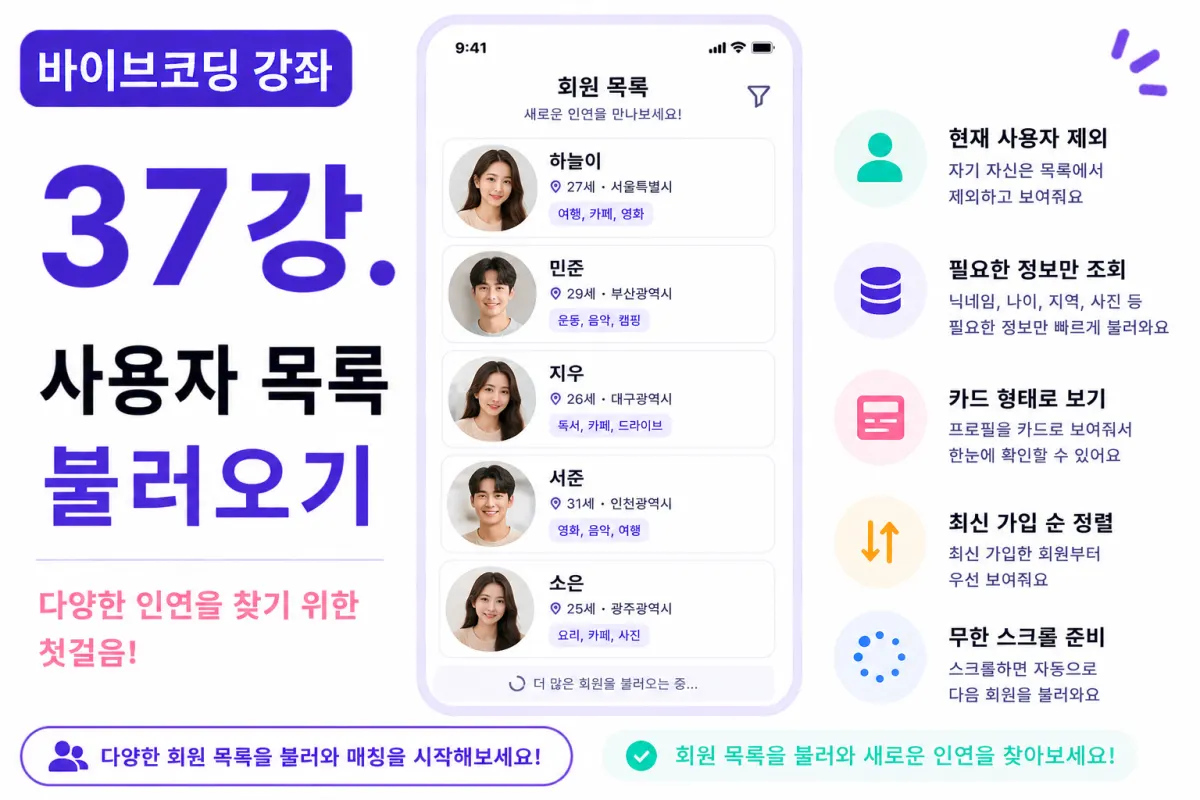
What You'll Learn in This Lesson
Last week's lesson completed the profile detail screen.
Now users can view other members' profiles,
but we still lack a user list fetching feature.
In this lesson, we'll implement the User List Retrieval Function.
You'll learn these topics together:
User list retrieval
Excluding current user
Card-based list display
Preparing pagination
Designing infinite scroll structure
By the end of this lesson, the main screen of your dating app will be complete.
Where to Fetch User Lists From?
User information is stored in
the Supabase Database.
We'll query only necessary users from the profile table,
not fetching all members at once.
Fetching only required data is important for efficiency.
Excluding Current Login User
Users don't need to like their own profiles,
so we'll exclude the currently logged-in user from the list.
We add a condition to our query
to skip the current user ID.
Requesting Cursor AI
First, we request Cursor AI with this prompt:
Write code to fetch profile lists from Supabase Database,
excluding the currently logged-in user.
Sort by newest sign-ups.
The AI suggests both retrieval code and sorting method.
What Data to Fetch?
We don't need all information for the list screen,
so we'll fetch only these fields:
User ID
Profile photo
Nickname
Age
Location
Bio will be retrieved on the detail screen.
This speeds up data retrieval.
Displaying in Card Format
We'll display retrieved data as cards (Cards).
Cards show only these elements:
Profile photo
Nickname
Age
Location
Tapping a card navigates to the profile detail screen.
Loading State Handling
We'll show a loading screen while fetching lists,
like this message with spinner:
Loading member information...
This helps users understand current status.
Handling Empty Data
If no members exist yet,
we'll display this message:
No members to display.
An informative message is better than a blank screen.
Sorting Method
We'll sort by newest sign-ups for this project,
but later we can add options like:
Distance-based sorting
Activity-based sorting
Recommendation-based sorting
for more features.
Why Pagination Is Needed
If there are thousands of members,
we can't fetch all at once.
For example, fetching 20 users at a time is common practice.
Loading data incrementally when needed is more efficient.
Preparing Infinite Scroll
When users scroll to the bottom,
the next user list loads automatically.
This is called Infinite Scroll.
We'll prepare the structure in this lesson,
and implement it with actual card UI in the next lesson.
Designing for Future Search Features
We plan to add location or interest-based search later.
So we'll design our query function
to be reusable and easy to extend.
For example, requesting from Cursor AI:
Make the structure ready for easy addition of search features.
This gets better suggestions for scalable architecture.
Refactoring with Cursor AI
After completing functionality,
we'll ask AI to refactor our code:
Refactor the user list retrieval code.
The AI suggests improvements like:
Function separation
Error handling
Performance optimization
Performance Optimization
To improve speed,
we'll select only necessary columns in our query.
We should also fetch images at thumbnail size,
not full resolution.
Small optimizations like these significantly boost service performance.
Testing
We'll verify these points:
User list retrieval
Excluding current user
Card display
Empty data handling
Loading screen display
If all works correctly,
the list retrieval feature is complete.
GitHub Commit Message
After completing a feature,
we'll ask Cursor AI for an appropriate commit message:
Create a commit message suitable for implementing user list retrieval functionality.
Maintaining small, frequent commits is good practice.
Real-World Additional Features
In actual services,
we'd also implement features like:
Prioritizing online users
Highlighting recommended users
Sorting by recent activity
AI-recommended members
This project focuses on basic list retrieval functionality.
The Matching System Begins
After this lesson,
you'll be able to fetch user lists.
From now on, we'll create card UIs,
add like/dislike functionality,
and build the core features of a real dating app.
Next Lesson Preview
In the next lesson, we'll create card-style UIs.
We'll apply Tinder-style card design,
displaying profile photos and basic information attractively.
Conclusion
This lesson implemented user list retrieval from Supabase Database.
We've set up the foundation to display profiles in cards,
excluding the current logged-in user.
In the next lesson, we'll build card UIs and further refine the dating app's main screen.
FAQ
Why exclude the current user from the list?
Users don't need to like their own profiles, so excluding them improves the user experience.
What is infinite scroll?
Infinite scroll automatically loads more content as users scroll down, providing a seamless browsing experience without manual page navigation.
Korean Source
This article is an English localization of a Korean-language report from BlogScore. Original: [바이브코딩 강좌] 37강. 사용자 목록 불러오기