
RTX 3090 vs 4090 vs 5090: Which GPU Is Best for an AI Image Server?
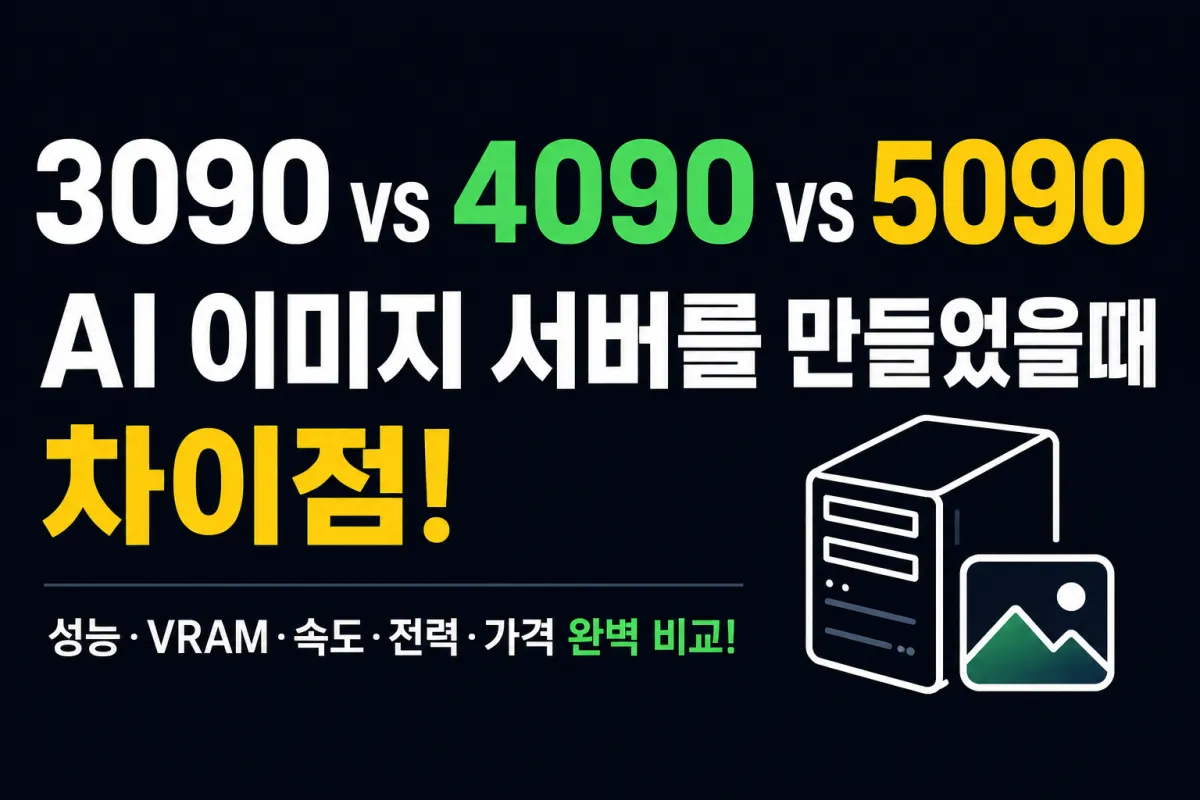
Which GPU Is Best for Building an AI Image Server?
As generative AI continues to evolve rapidly, more users are setting up personal AI image servers at home or in offices rather than relying on cloud services.
The most common point of confusion is choosing the right GPU. The three most frequently compared options today are:
RTX 3090
RTX 4090
RTX 5090
Differences in price and performance make this decision challenging for many.
This article compares these GPUs based on their suitability for AI image generation servers.
Why GPU Matters for AI Image Servers
Models like Stable Diffusion, FLUX, and SDXL are heavily dependent on GPU performance.
The GPU handles key tasks including:
Image generation
Upscaling
ControlNet
LoRA training
Inpainting
Outpainting
AI video frame generation
This is why GPU performance matters significantly more than CPU for these workloads.
Advantages of the RTX 3090
The RTX 3090 remains a popular choice for AI server setups despite being an older model.
Its main advantage is its 24GB VRAM, which allows it to handle:
SDXL models
Multiple ControlNet setups
High-resolution image generation
LoRA training
It's also available at reasonable prices in the used market.
Advantages of the RTX 4090
The RTX 4090 offers significantly faster image generation compared to the 3090, with improved power efficiency.
Users often report better performance in environments like:
ComfyUI
Automatic1111
Forge WebUI
It also has 24GB VRAM, making it capable of handling most AI image tasks smoothly.
Advantages of the RTX 5090
The RTX 5090, as a newer generation GPU, offers enhanced computational performance.
This makes it ideal for complex workflows and newer AI models, especially when handling multiple tasks simultaneously.
It particularly shines with:
FLUX
SDXL Turbo
Larger image generation
Newer AI models
However, it comes at a higher price point, so budget should be considered alongside performance needs.
RTX 3090 vs 4090 vs 5090 Comparison
Item | RTX 3090 | RTX 4090 | RTX 5090 |
|---|---|---|---|
VRAM | 24GB | 24GB | 32GB |
Stable Diffusion | Excellent | Excellent | Top-tier |
FLUX | Works | Excellent | Top-tier |
SDXL | Excellent | Excellent | Top-tier |
Multiple ControlNets | Works | Excellent | Top-tier |
LoRA Training | Works | Excellent | Top-tier |
Generation Speed | Baseline | Faster | Fastest |
Power Efficiency | Average | Good | Good |
Used Market Availability | Very Good | Possible | Very Difficult |
Price | Cheapest | High | Most Expensive |
Best For | Budget-focused | Performance & Efficiency Balance | Top Performance |
※ Actual performance may vary based on model, resolution, batch size, drivers, CUDA version, and ComfyUI configuration.
Who Should Choose the RTX 3090?
This GPU is ideal for:
Those new to building AI servers
Users looking to save on budget
Those primarily using Stable Diffusion
Buyers considering used GPUs
For pure value, it remains a compelling option.
Why Choose the RTX 4090?
If you're looking for a balance of performance and price, the RTX 4090 is an excellent choice.
It's particularly popular among:
Fast image generation
High power efficiency
Stable driver support
This makes it a favorite among individual developers and content creators.
Who Is the RTX 5090 Best For?
The RTX 5090 is suitable for users who need top-tier performance, such as:
Operating AI services
Generating hundreds of images daily
Actively using the latest models
Running multiple AI tasks simultaneously
It's a worthwhile investment for these scenarios, though it may not be cost-effective for casual hobbyists.
AI Image Server: It's Not Just About the GPU
While the GPU is critical, other components also need consideration.
A recommended setup includes:
CPU: AMD Ryzen 7 or better / Intel Core i7 or better
RAM: At least 64GB recommended
SSD: NVMe 2TB or larger
Operating System: Ubuntu or Windows
AI Environment: ComfyUI, Automatic1111, Forge WebUI
This configuration ensures you can fully leverage your GPU's capabilities.
Conclusion
All three GPUs provide sufficient performance for building an AI image server.
If budget is the top priority, RTX 3090 remains a strong choice.
For those seeking a balance of performance and power efficiency, RTX 4090 offers high satisfaction.
If you need the latest models and maximum performance with less concern about cost, RTX 5090 is the most powerful option.
The key takeaway: it's not about choosing the most expensive GPU, but rather selecting the one that best fits your budget and use case.
FAQ
Q1. Can I use FLUX with an RTX 3090?
Yes, it's possible to use FLUX on the RTX 3090, though memory usage may increase depending on model settings and resolution, requiring some optimization.
Q2. What's the biggest difference between RTX 4090 and RTX 3090?
The VRAM is the same (24GB), but the 4090 offers improved computational performance and power efficiency, resulting in noticeable differences in image generation speed and task processing.
Q3. Is an RTX 5090 necessary?
For hobby or personal projects, the RTX 3090 or 4090 is often sufficient. The RTX 5090 is better suited for users who actively use new models or require high processing volumes.
Q4. How much RAM do I need for an AI image server?
While 32GB may work with just Stable Diffusion, we recommend at least 64GB if you're using FLUX or running multiple tasks simultaneously.
Q5. Which OS is better for an AI image server: Windows or Ubuntu?
Both operating systems are compatible. However, many users prefer Ubuntu for long-term server operation and development environments, while Windows may be favored for ease of use and familiarity.
FAQ
Can I use FLUX with an RTX 3090?
Yes, it's possible to use FLUX on the RTX 3090, though memory usage may increase depending on model settings and resolution, requiring some optimization.
What's the biggest difference between RTX 4090 and RTX 3090?
The VRAM is the same (24GB), but the 4090 offers improved computational performance and power efficiency, resulting in noticeable differences in image generation speed and task processing.
Is an RTX 5090 necessary?
For hobby or personal projects, the RTX 3090 or 4090 is often sufficient. The RTX 5090 is better suited for users who actively use new models or require high processing volumes.
How much RAM do I need for an AI image server?
While 32GB may work with just Stable Diffusion, we recommend at least 64GB if you're using FLUX or running multiple tasks simultaneously.
Which OS is better for an AI image server: Windows or Ubuntu?
Both operating systems are compatible. However, many users prefer Ubuntu for long-term server operation and development environments, while Windows may be favored for ease of use and familiarity.
Korean Source
This article is an English localization of a Korean-language report from BlogScore. Original: RTX 3090 vs 4090 vs 5090, AI 이미지 서버를 만든다면 무엇을 선택해야 할까?