
Implementing User Registration with Supabase Auth in a Coding Course
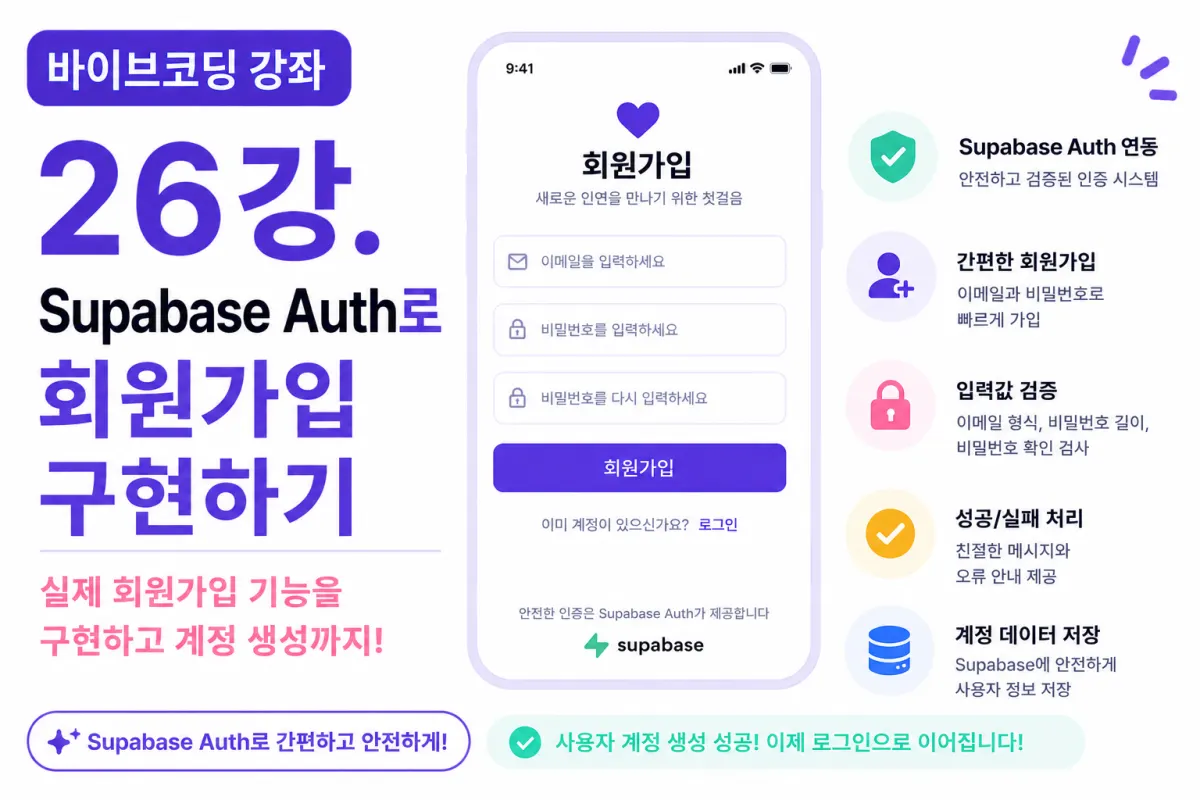
What You'll Learn in This Lesson
Last lesson completed the sign-up UI screen.
However, clicking the button currently does nothing.
In this lesson, we'll implement actual account creation by connecting Supabase Auth.
You'll learn:
Understanding Supabase Auth
Connecting sign-up API
Input validation
Handling success and failure states
Displaying error messages
Confirming successful registration
Now your app will function like a real service.
What Is Supabase Auth?
Supabase Auth handles user authentication (login systems).
You can easily implement features without building them from scratch, including:
Sign-up
Login
Email verification
Password reset
Session management
This project will use Auth features extensively.
Why Not Build It Yourself?
In the past, developers had to handle everything from:
Password encryption
Login processing
Session management
Email verification
But these features are security-critical. Building them yourself increases the risk of errors.
Supabase Auth provides these securely, making it far more efficient than DIY development.
Requesting Help from Cursor AI
First, ask Cursor AI for help with this request:
Implement sign-up functionality using Supabase Auth.

Use email and password for registration.

Display a success message upon successful registration.
The AI will suggest necessary code and connection methods.
Connecting the Supabase Client
To implement sign-up, your Supabase client must be properly connected first.
We'll use the file created in last lesson:
lib/supabase.ts
This file will also be used for login and profile viewing later.
Creating the Sign-Up Function
When users click the sign-up button, this function runs.
The function sends email and password to Supabase Auth.
If successful, a new account is created.
Email Validation
Before signing up, validate user inputs:
Is the email empty?
Does it have proper format?
Validation significantly improves user experience.
Password Validation
Check passwords too:
Is it long enough?
Does it meet minimum length requirements?
This project requires at least 8 characters.
Password Confirmation Check
Verify that the password and confirmation match.
If they don't, prevent sign-up and show an error message.
Disabling the Sign-Up Button
Disable the button when fields are empty:
Email is missing
Password not entered
This prevents unnecessary requests.
Handling Successful Sign-Ups
After successful registration, show a confirmation message:
Registration complete.

Please verify your email to log in.
You can also redirect users to the login page after success.
Handling Error Messages
Sign-up can fail for various reasons:
Email already registered
Invalid email format
Password doesn't meet requirements
Ask AI to make error messages more user-friendly:
Make these error messages friendlier for users.
Loading States
While signing up, disable the button to prevent multiple clicks:
Signing up...
Show this message while processing to keep users informed.
Improving Code with Cursor AI
After completing sign-up functionality, ask AI:
Improve the current sign-up code.
The AI will suggest:
Removing duplicate code
Splitting functions
Improving readability
Checking Supabase Dashboard
After registration, verify in Supabase Dashboard:
Authentication → Users
This confirms new users are properly created.
Creating Test Accounts
Create test accounts during development:
test1@example.com

test2@example.com

test3@example.com
Test various scenarios with these accounts.
GitHub Commit
After completing sign-up, ask AI for a commit message:
Create a Git commit message for the implemented sign-up feature.
Committing small features improves maintainability.
Additional Features in Production
In real services, you'd also save:
Terms agreement
Privacy policy consent
Marketing preferences
This project skips these for focus on core functionality.
Sign-Up Complete!
Now users can create accounts using email and password.
Your dating app moves from a static screen to a functional service.
Next Lesson Preview
The next lesson will implement login functionality:
We'll use Supabase Auth for login, session creation, and maintaining logins, then redirect users to member-only screens.
Conclusion
This lesson implemented real sign-up using Supabase Auth.
Users can now create accounts, connecting the sign-up screen with authentication system.
The next lesson will complete user authentication by adding login functionality.
FAQ
What is Supabase Auth?
Supabase Auth is a user authentication service that handles sign-up, login, email verification, password reset, and session management without requiring developers to build these features from scratch.
Why use Supabase Auth instead of building your own system?
Building authentication systems yourself increases security risks. Supabase Auth provides secure, tested implementations for critical features like password encryption and email verification.
Korean Source
This article is an English localization of a Korean-language report from BlogScore. Original: [바이브코딩 강좌] 26강. Supabase Auth로 회원가입 구현하기