
Implementing a Typing Indicator in Chat Applications: A Step-by-Step Guide
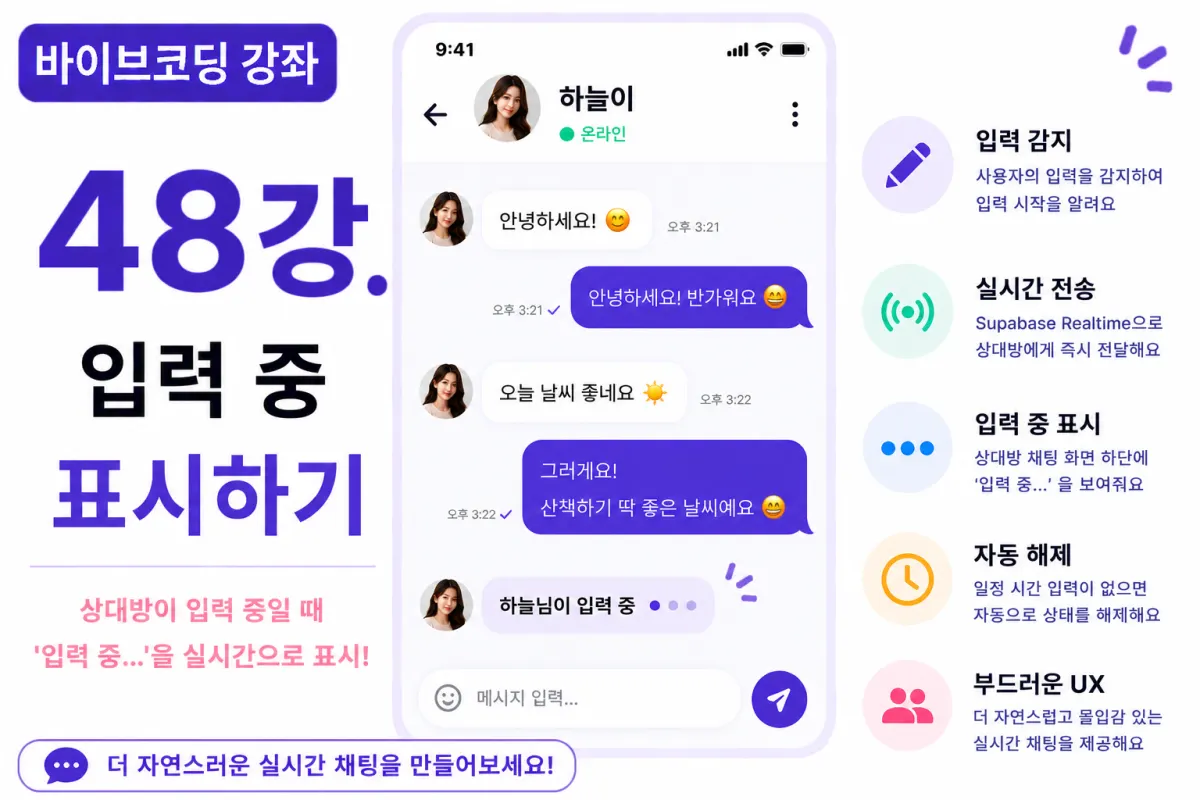
What You'll Learn in This Lesson
Last week's lesson covered implementing online presence functionality.
This allows users to see if someone is currently active.
In this lesson, we'll implement a common chat feature: the typing indicator.
We'll cover these topics together:
Detecting typing status
Realtime transmission
Displaying the typing indicator
Automatic removal
Performance optimization
By the end of this lesson, your chat application will feel more natural and responsive.
What Is a Typing Indicator?
A typing indicator shows when someone is currently composing a message.
For example:
Someone is typing...
This feature lets users know their conversation partner is actively responding, making the interaction feel more natural.
Why This Feature Matters
Without a typing indicator, you might wonder if someone is delayed in replying or simply not responding at all.
The typing indicator lets users know their conversation partner is actively writing, making the chat feel more natural and responsive.
Requesting Help from Cursor AI
First, we'll ask Cursor AI to implement this feature using Supabase Realtime:
Implement a typing indicator feature using Supabase Realtime.

When a user starts typing, display 'Typing...' on the other person's screen,
and automatically remove it when they stop typing for 2-3 seconds.
The AI will suggest solutions for state management and timer handling.
Detecting When Typing Begins
When a user starts typing in the textarea, we set the typing status to true.
This status is immediately transmitted via Realtime to the other party.
Handling When Typing Ends
We don't immediately remove the typing indicator when input stops.
Instead, we wait 2-3 seconds of inactivity before automatically setting the status to false.
This prevents unnecessary screen flickering and provides a smoother experience.
Realtime Transmission
The typing status isn't stored in the database—it's handled through Realtime events only.
Since this is temporary information, there's no need for permanent storage.
Displaying on Chat Screen
When the other person is typing, display a message at the bottom of the chat screen:
Someone is typing...
The message automatically disappears when a new message arrives.
Adding Animations
Typing indicators often include animation, like dots moving or increasing:
Typing...
This subtle animation makes the indicator feel more natural and engaging.
Handling Multiple Chat Rooms
We only show typing indicators for currently open chat rooms.
There's no need to display input status from other chat rooms, which reduces unnecessary events and improves performance.
Improving with Cursor AI
After implementing the basic feature, ask Cursor AI:
Improve the typing indicator to make it feel more natural.
The AI will suggest optimizations like:
Timer optimization
Event management improvements
Better animation implementation
Performance Optimization
Sending a Realtime event every time a key is pressed would create excessive traffic.
To prevent this, we apply debouncing to send events only at regular intervals (e.g., every 500ms).
Mobile Considerations
On mobile devices, keyboards frequently open and close.
By properly connecting keyboard events with typing status, the indicator works more naturally on mobile platforms.
Testing the Feature
Test the feature in this order:
Open two browser windows
Enter the same chat room
Start typing from one side
Check the other screen for indicator display
Verify 'Typing...' message appears
Stop typing and confirm automatic removal after 2-3 seconds
If all steps work as expected, your typing indicator is complete.
GitHub Commit Message
After completing the feature, ask Cursor AI:
Create a commit message for this typing indicator implementation.
A well-crafted commit message by feature makes project management easier.
Additional Features in Real Applications
In real-world applications, you might also see:
Displaying 'Recording voice message...'
'Selecting photo...' indicator
'Uploading file...' notification
'Multiple people typing...' for group chats
This project focuses on implementing the basic 1:1 chat typing indicator.
A More Natural Chat Experience
By completing this lesson, users will be able to see in real-time when someone is composing a reply.
This small feature significantly enhances the overall quality and completeness of your chat application.
Next Lesson Preview
In the next lesson, we'll implement image sending functionality.
You'll learn how to upload photos, store them in Supabase Storage, and display them directly in the chat interface.
Conclusion
We've implemented a typing indicator feature in this lesson.
Through Realtime events, automatic removal, debouncing techniques, and UI implementation, we've created a natural user experience that mirrors real chat applications.
In the next lesson, we'll add image sending capabilities to make our chat application even more robust.
FAQ
What is a typing indicator?
A typing indicator shows when someone is actively composing a message in a chat, improving user experience by providing real-time feedback.
Why use Realtime events instead of database storage for typing status?
Typing status is temporary information that doesn't need permanent storage. Using Realtime events reduces unnecessary data storage and improves performance.
Korean Source
This article is an English localization of a Korean-language report from BlogScore. Original: [바이브코딩 강좌] 48강. 입력 중(Typing Indicator) 기능 구현하기