
Implementing Report and Block Features in a Dating App
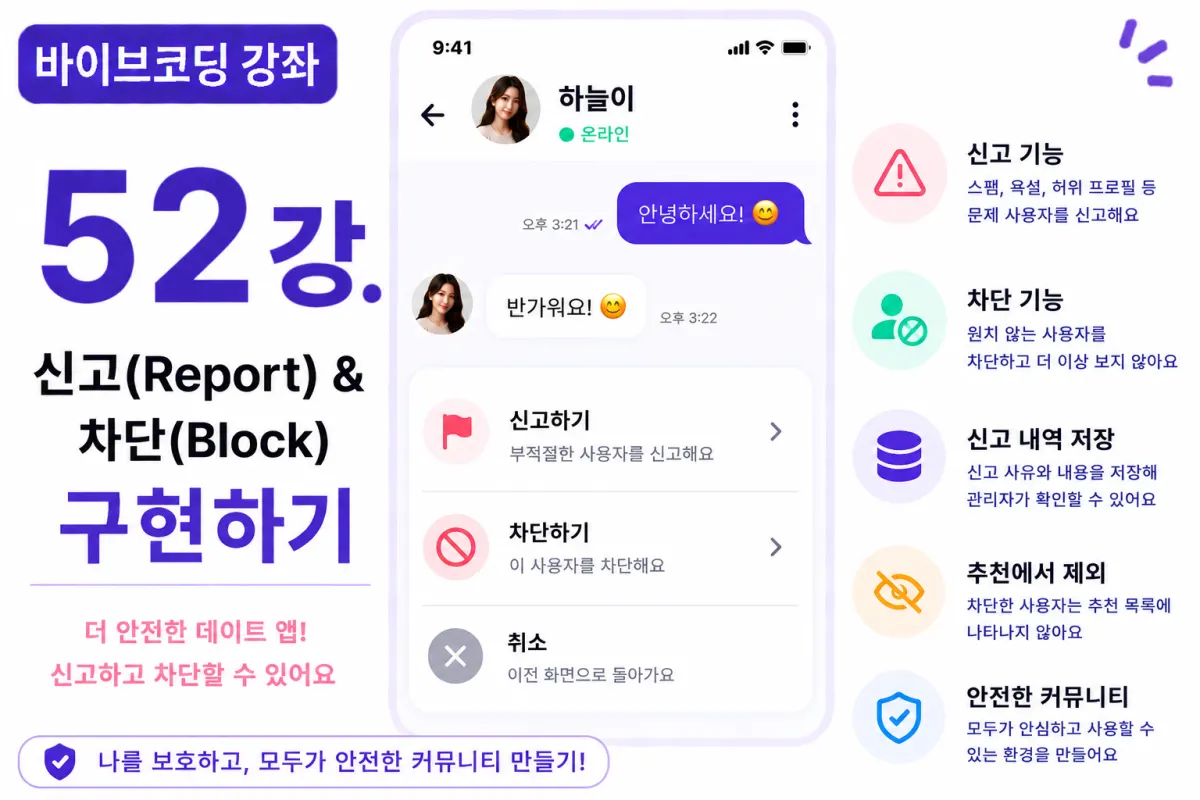
What You'll Learn in This Lesson
Last week's lesson covered implementing push notifications.
Now users can immediately see new messages and matches.
In this lesson, we'll implement essential features for service operations:
Report and Block functionality
We'll learn the following in this session:
Report feature implementation
Block feature implementation
Saving report reasons
Hiding blocked users
Admin review structure
Security policies
By the end of this lesson, you'll be able to operate a safer dating app.
Why Report Features Are Necessary
Not all users follow service rules properly.
For example:
Profanity
Advertising
Fraud
Explicit content
Misrepresented profiles
can occur.
Users need to be able to report issues directly to maintain a healthy community.
Report Database Design
Report history is stored in a separate table.
For example, we create a table named:
reports
The basic columns include:
Reporter ID
Reported User ID
Reason for report
Report details
Report time
Status of resolution
Requesting Help from Cursor AI
First, we request help from Cursor AI with the following prompt:
Implement report functionality using Supabase Database.

Save report reasons and details so administrators can review them.
The AI suggests table design and storage logic together.
Selecting Report Reasons
When users click the report button, they can select a reason for reporting.
For example:
Spam
Profanity
Misrepresented profile
Explicit content
Other
This is how we structure the options.
Additional Details Input
If needed, users can also input additional details about the report.
For example:
Continuously sending advertisement messages.
Explaining the situation helps administrators make more accurate decisions.
Implementing Block Functionality
Blocking is a separate feature from reporting.
Blocked users should no longer be able to:
Search for profiles
Appear in recommendations
Send messages
View profiles
This is how we handle blocked users.
Block Database Design
Blocking information is managed in the following table:
blocks
The basic columns are:
User who blocked
User who was blocked
Blocking time
This is sufficient for our needs.
Excluding from Recommendations
Blocked users should no longer appear in recommendation lists.
When querying user profiles, we check the blocks table and exclude blocked users.
Blocking Chat Functionality
Even if already matched with a user, blocking prevents further messaging.
We can limit chat room access or change to read-only mode based on service policies.
Improving with Cursor AI
After completing the feature, we request from Cursor AI:
Improve report and block features for greater security.
The AI suggests improvements like:
Preventing duplicate reports
Managing report counts
Integrating with admin functionality
Preparing Admin Review Functionality
When a report is submitted, administrators can view the list on their dashboard.
Report status should be managed as:
Submitted
In review
Resolved
Performance Optimization
When retrieving recommended users, checking the block list every time can impact performance.
To improve speed, we can:
Query only necessary users
Add indexes for faster searches
Testing the Feature
We test in this order:
User reports a profile
Verify report details are saved
Execute block functionality
Confirm blocked user is excluded from recommendations
Check chat blocking implementation
Review admin list
If all steps work correctly, the report and block features are complete.
GitHub Commit Message
After completion, we request from Cursor AI:
Create a commit message for implementing report and block features.
Feature-specific commits greatly aid maintenance and collaboration.
Additional Features in Production
In real services, we also provide these additional features:
Automatic accumulation of reports
AI profanity analysis
Image reporting
Attaching evidence for reports
Permanent blocking
This project focuses on implementing basic report and block functionality.
Now You Can Operate a Safer Service
By completing this lesson, users can:
Block unwanted matches,
Report problematic users,
and implement essential features necessary for service operations.
Next Lesson Preview
In the next lesson, we'll implement an Admin dashboard.
We'll add member management, report management, and statistics viewing to create a fully operational admin system.
Conclusion
This lesson covered implementing Report (Report) and Block features.
We completed core functionality for safe dating app operations including saving reports, handling blocks, excluding from recommendations, and setting up admin review structures.
In the next lesson, we'll build an Admin dashboard to further strengthen service operations capabilities.
FAQ
Why are report and block features important for dating apps?
These features allow users to flag inappropriate behavior and block unwanted interactions, helping maintain a safe and healthy community within the app.
What database structure is used for reports and blocks?
Reports use a 'reports' table with columns like reporter ID, reported user ID, reason, details, time, and status. Blocks use a 'blocks' table with blocker ID, blocked user ID, and blocking time.
Korean Source
This article is an English localization of a Korean-language report from BlogScore. Original: [바이브코딩 강좌] 52강. 신고(Report) 및 차단(Block) 기능 구현하기