
Implementing Read Receipts in Chat Applications: A Step-by-Step Guide
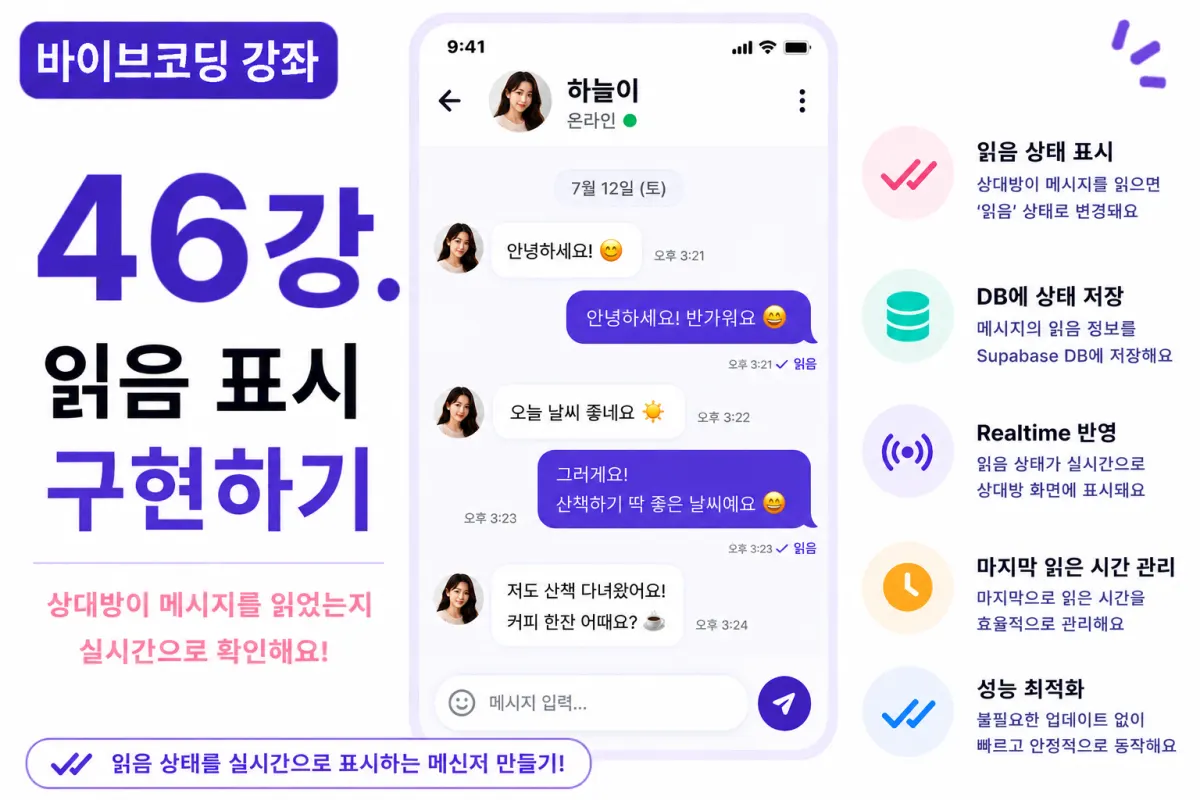
What You'll Learn in This Lesson
Last week, we implemented real-time messaging functionality.
Now users can send and receive messages instantly.
However, there's no way to know if the recipient has seen the message yet.
In this lesson, we'll implement read receipts, a feature that shows when someone has read your message.
We'll cover these topics:
Storing read status
Displaying read indicators
Real-time updates
Managing last-read messages
Performance optimization
By the end of this lesson, your messaging app will have a more complete, messenger-like experience.
What Are Read Receipts?
Read receipts indicate whether the recipient has actually viewed your message.
Most messaging apps display different states:
Sent
Delivered
Read
In this project, we'll implement just the 'read' status.
Database Design
We'll add a column to store read status in our message table.
For example:
is_read
This Boolean field defaults to false.
We'll update it to true when the recipient views the message.
Requesting Help from Cursor AI
First, we ask Cursor AI for assistance with this implementation:
Implement read receipts using Supabase Database and Realtime.

When a chat room is opened, automatically update the read status.
The AI will generate both the database update code and real-time handling logic.
When to Update Read Status
We'll update the read status when:
The recipient opens the chat window and views messages on screen.
We don't want to mark messages as read just because someone logged into the app.
Only actual viewing of the chat room should trigger the status change.
Updating Read Status
When a chat window opens, we'll:
Query unread messages
Update all to 'read' status
These changes will instantly reflect on the recipient's screen via Realtime events.
Read Status UI Implementation
We'll display read status below messages you've sent:
Read
Or simply:
Unread
We'll use small, subtle text to avoid disrupting the message UI.
Last Read Message Tracking
In professional applications, it's common to track just the last read message ID rather than updating every message individually.
This approach is more performant.
For this project, we'll implement per-message read status for clarity in understanding the concept.
Real-time Updates
When a message's read status changes:
Realtime events trigger immediately
The recipient's screen updates instantly
No page refresh is needed
Handling Previously Read Messages
We won't re-update messages that are already marked as read.
This avoids unnecessary database operations and improves performance.
Improving with Cursor AI
After implementing the basic feature, we'll ask Cursor AI to improve it:
Optimize the read receipt feature for better performance.
The AI will suggest improvements including:
Tracking last-read message ID instead of individual messages
Optimizing update operations
Function separation for cleaner code
Performance Optimization
We'll implement a more efficient approach:
Instead of updating all messages when opening a chat, we'll only update unread messages.
This significantly reduces database load.
Mobile UX Considerations
Read indicators shouldn't be too prominent.
The most natural implementation is small gray text below the message, similar to how major messaging apps handle this feature.
Simplicity is key in messenger UI design.
Testing Procedure
We'll test using these steps:
User A sends a message
User B opens the chat window
Verify database read status update
Confirm read indicator appears for User A
Check real-time updates on both sides
If all steps work correctly, our read receipt feature is complete.
GitHub Commit Messages
After implementation, we'll ask Cursor AI to generate a proper commit message:
Create a commit message for the read receipt feature implementation.
Well-crafted commit messages improve project quality and maintainability.
Additional Features in Production
Real-world applications often include additional features:
Delivered status indicators
Multiple recipient read statuses
Read time display
Preventing read receipt cancellation
For this project, we're implementing the core read receipt functionality only.
Your Messaging App Is Now Complete
With this lesson complete, users will know when their messages have been seen.
This creates an experience very similar to mainstream messaging apps.
Next Lesson Preview
In the next lesson, we'll implement online status indicators that show which users are currently active and track last connection times for a more complete messaging experience.
Conclusion
We've successfully implemented read receipts in our chat application.
By handling read status storage, real-time updates, UI display, and performance optimization, we've created an experience matching professional messenger standards.
In the next lesson, we'll enhance real-time communication further by adding online status indicators.
FAQ
What is the purpose of read receipts in chat applications?
Read receipts show when a recipient has viewed your message, creating a more transparent and interactive messaging experience similar to mainstream apps.
How does the read status update work?
When a user opens a chat window, unread messages are automatically marked as read. This change is reflected in real-time for both users without needing a page refresh.
Korean Source
This article is an English localization of a Korean-language report from BlogScore. Original: [바이브코딩 강좌] 46강. 읽음 표시(Read Receipt) 구현하기