
Implementing Logout Functionality in Your App with Supabase Auth
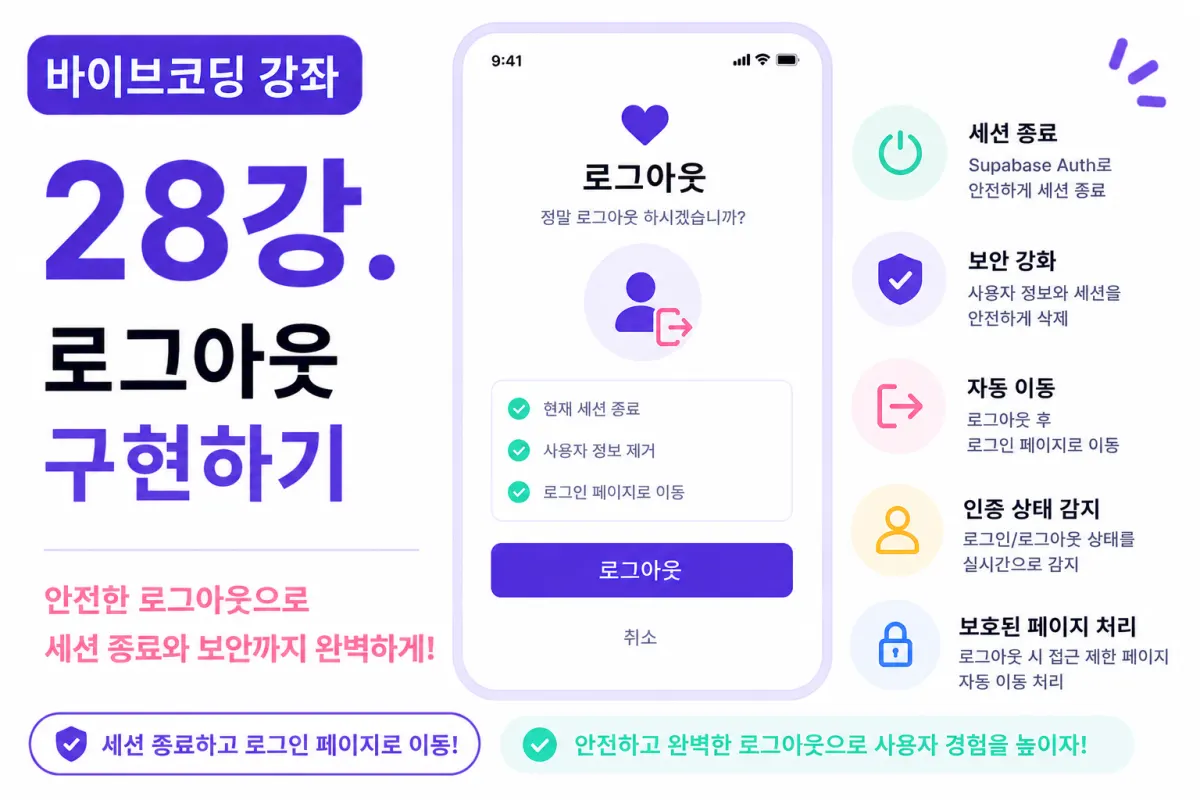
What You'll Learn in This Lesson
In the previous lesson, we implemented login functionality.
Now users can:
Sign up
Log in
However, to complete the authentication system, a final feature is needed: logout functionality.
In this lesson, we'll implement together:
Logout implementation
Session termination
Automatic screen redirection
Authentication state detection
Security measures
Why Logout Matters
Logout isn't just about navigating screens.
It securely removes the current user's authentication information, preventing others from accessing their account.
This is especially crucial on shared devices like public computers or tablets.
Where to Place the Logout Button
To ensure users can easily find it,
the logout button is typically placed in one of these locations:
Profile screen
Settings screen
Side menu
In this project, we'll place it at the bottom of the profile screen.
Requesting Help from Cursor AI
First, request from Cursor AI as follows:
Implement logout functionality using Supabase Auth.

After logging out, redirect to the login page.
The AI will generate the necessary code and handle screen redirection.
Creating the Logout Function
When the logout button is clicked,
it calls Supabase Auth's logout function.
Once the session is terminated,
the user is no longer authenticated.
This prevents access to protected pages.
Handling Successful Logout
After a successful logout,
the app automatically redirects to the login screen.
For example:
/login
This ensures users must log in again to continue using the service.
Deleting the Session
The most critical part of logout is safely removing the session.
If sessions remain, automatic login might persist.
Supabase Auth automatically deletes the session upon logout.
Detecting Authentication State
Login and logout can happen at any time,
so the app must continuously monitor authentication status.
For example:
If a user logs out from another browser tab,
the current screen should detect this change.
Requesting Help from Cursor AI
Write code to detect login and logout status in real time.
The AI generates code that automatically runs when authentication state changes.
Handling Protected Pages
What happens if a logged-out user directly enters the chat screen URL?
If they're logged out,
the app should automatically redirect to the login page.
This significantly improves service security when implemented.
Updating Header Menu
The header changes based on login status.
For example:
Before logging in, show:
Login
Sign up
After logging in, display:
Profile
Logout
Displaying Username
When logged in,
the header can show the current user's nickname.
For example:
Welcome,

Hong Gildong
This improves user experience.
Add Confirmation Dialog
To prevent accidental logouts,
you can add a confirmation dialog.
For example:
Are you sure you want to log out?
After showing this message,
clicking the confirm button proceeds with logout.
Multiple Device Login
Supabase allows simultaneous login from multiple devices.
For example:
Smartphone
Tablet
PC
Depending on service policy,
you can allow or restrict simultaneous logins.
Automatic Logout
In practice, some services add an automatic logout feature after a period of inactivity.
For example:
If there's no activity for 30 minutes,
the session ends automatically.
We won't implement this in our project now,
but it can be added as an extension later.
Testing the Logout Feature
Now let's test it:
Log in
Navigate to home screen
Click logout
Verify redirect to login page
Check back button behavior
Test accessing protected pages
If everything works as expected,
the logout feature is correctly implemented.
Improving with Cursor AI
Once the logout feature is complete,
request from AI:
Improve the logout functionality for greater security.
The AI will suggest improvements including:
Error handling
Screen redirection enhancements
Code optimization
GitHub Commit Message
After completing the logout feature,
ask AI to create a commit message:
Create a commit message for implementing logout functionality.
This is good practice for maintaining project history.
The Authentication System Is Nearly Complete
Now users can:
Sign up
Log in
Log out
The core authentication features are now complete.
The next step is adding email verification to enhance security further.
Next Lesson Preview
In the next lesson, we'll implement email verification functionality.
We'll send a verification email after sign-up,
and only allow users who complete verification to log in,
creating a service-ready authentication system.
Conclusion
In this lesson, we implemented logout functionality using Supabase Auth.
By handling session termination, authentication state detection, and protected page redirection,
the authentication system has become significantly more robust.
In the next lesson, we'll add email verification to create a safer user authentication environment.
FAQ
Why is logout important for security?
Logout removes the user's authentication information, preventing others from accessing their account, especially on shared devices.
How does Supabase handle sessions during logout?
Supabase Auth automatically deletes the session upon logout, ensuring no persistent login state remains.
Korean Source
This article is an English localization of a Korean-language report from BlogScore. Original: [바이브코딩 강좌] 28강. 로그아웃 구현하기