
How to Use Multiple MCPs Simultaneously in Vibecoding
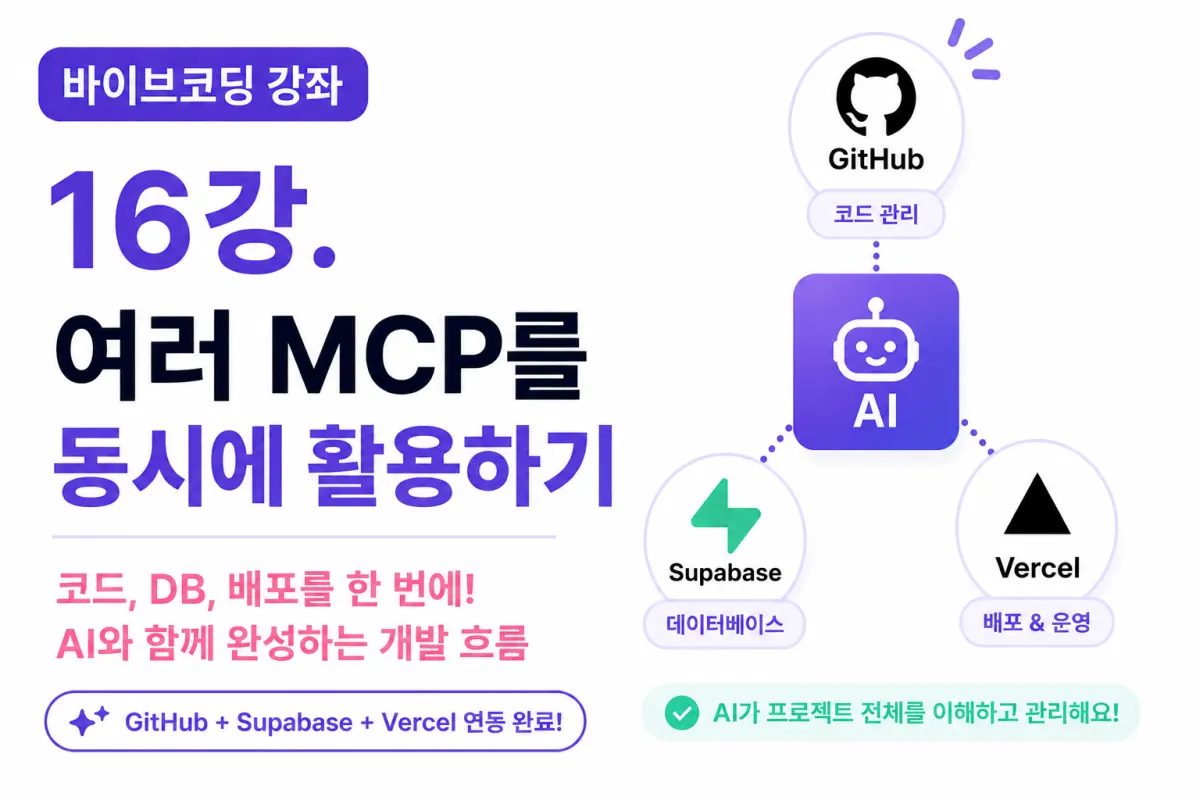
What You'll Learn in This Lesson
We've reached the final step of setting up your development environment.
So far, we've completed:
Installing Cursor AI
Connecting GitHub MCP
Connecting Supabase MCP
Connecting Vercel MCP
However, many developers ask:
"How do I use multiple MCPs together?"
In this lesson, we'll explore how to work with multiple MCPs and see the full development flow.
By the end of today's session, you'll understand the complete process of building a service alongside AI.
Can You Use Just One MCP?
Yes, it's possible to use only one MCP.
For example, connecting just GitHub MCP allows you to manage your code.
However, building a real service requires more than just code management.
You need to store user information in a database and deploy the completed service online.
In practice, most projects require using multiple MCPs together.
MCPs Connected So Far
Currently, three MCPs are connected to your project:
MCP | Role |
|---|---|
GitHub MCP | Code and repository management |
Supabase MCP | Database management |
Vercel MCP | Project deployment and operation |
While each handles different responsibilities, they work closely together.
The Process of Completing One Feature
Consider building a login feature as an example.
This single feature requires all three MCPs working together.
GitHub MCP
Creating the login screen
Modifying code
Creating commits
Supabase MCP
Verifying user tables
Setting up authentication
Storing data
Vercel MCP
Automatic deployment
Checking deployment status
In short, three MCPs naturally collaborate to build one feature.
Requesting One Task to AI
For example, you might ask AI:
Create a login feature.
This single request prompts the AI to consider multiple aspects:
What screens are needed?
Is the database prepared?
Which files will be added to GitHub?
Will there be issues after deployment?
With MCPs connected, AI considers your entire project when working.
Understanding the Actual Development Flow
Here's how we'll proceed in future development:
Step 1
Request a feature from Cursor AI.
For example:
Create a profile registration feature.
Step 2
AI analyzes the project.
It checks the current project structure through GitHub MCP.
Step 3
Supabase MCP verifies the required database.
If needed, it also generates SQL.
Step 4
AI generates code.
It creates components and pages as well.
Step 5
GitHub MCP analyzes the changes.
It also recommends commit messages.
Step 6
When pushing to GitHub,
Vercel automatically starts deployment.
Step 7
Vercel MCP checks the deployment status.
If issues arise, AI analyzes the cause.
This Is Vibecoding
In the past,
developers had to:
Write code manually
Create SQL queries
Make commits
Deploy the project
But with Vibecoding,
AI helps manage all these steps together.
Developers only need to focus on what they want to build.
How Does AI Distinguish Between Multiple MCPs?
Many ask:
"How does AI know which MCP to use for GitHub vs. Supabase?"
The answer is simple.
Each MCP handles a specific area of responsibility.
For example:
If the question relates to GitHub,
GitHub MCP responds.
If it's about databases,
Supabase MCP provides information.
For deployment questions,
Vercel MCP acts.
Cursor AI combines this information to provide a complete response.
Example of Using Multiple MCPs
You could request:
Create a sign-up feature.
The AI might then perform these steps in order:
Verify the users table
Generate necessary SQL
Create the sign-up page
Connect APIs
Prepare commits
Prepare for deployment
You made one request,
but AI used multiple MCPs to manage your entire project.
Important Considerations When Using Multiple MCPs
The more MCPs you have, the more tasks AI can handle.
But you should still verify key aspects:
Review SQL before execution
Check commit contents
Verify environment variables
Confirm deployment results
It's important to review AI suggestions rather than executing them directly.
Requesting Multiple Tasks in One Prompt
You can also use prompts like:
Add a sign-up feature, write the necessary SQL, and suggest a commit message.
The AI will coordinate between GitHub MCP and Supabase MCP to complete these tasks.
Future development will frequently use this approach.
MCPs Will Continue to Expand
Currently, we're using three MCPs,
but more are coming:
Figma
Slack
Notion
Gmail
Stripe
In short,
AI will increasingly connect to more services to assist development.
All Setup Is Complete
This lesson concludes the setup phase for your development environment.
We've now completed:
AI development environment
GitHub integration
Database setup
Automated deployment
Now it's time to build your actual service.
Next Lesson Preview
The next lesson will begin the actual development of a dating app project.
We'll start by planning required features,
designing user interfaces from the user's perspective,
and building the project from scratch with AI assistance.
This is when we move beyond simple practice to creating real services step by step.
Closing
By connecting GitHub MCP, Supabase MCP, and Vercel MCP,
we've built a complete Vibecoding environment where AI collaborates with you on development.
Now AI understands your project's code, database, and deployment environment,
becoming your development partner.
In the next lessons, we'll plan and develop a real dating app
while actively using all our prepared environments.
What was preparation is now turning into building actual services.
FAQ
What is an MCP?
MCP stands for Model Control Point, a connection point that links specific services (like GitHub or Supabase) to the AI development environment.
How many MCPs are needed for a project?
While you can use just one MCP (e.g., GitHub), most projects benefit from multiple MCPs connecting code management, database, and deployment services.
Korean Source
This article is an English localization of a Korean-language report from BlogScore. Original: [바이브코딩 강좌] 16강. 여러 MCP를 동시에 활용하는 방법