
How to Read Google AdSense Statistics Correctly! Understanding CPC, CTR, and Page RPM Easily


How to Read Google AdSense Statistics Correctly! Understanding CPC, CTR, and Page RPM Easily
So far, we've covered the structure of AdSense revenue, ad placement, CTR, and RPM.
Now it's time to learn which numbers to check in your actual AdSense dashboard.
Many beginners check their earnings multiple times a day.
However, looking at just the revenue number alone doesn't give you an accurate picture of your site's status.
Understanding AdSense statistics will naturally help you see what areas need improvement.
Why Are AdSense Statistics Important?
Statistics are like a report card showing your site's health.
Are visitors increasing,
Are ads displaying properly,
What's the click-through rate,
And what's the average ad cost,
You can check all this information in numbers.
Consistently checking these statistics allows you to run your site based on data, not just intuition.
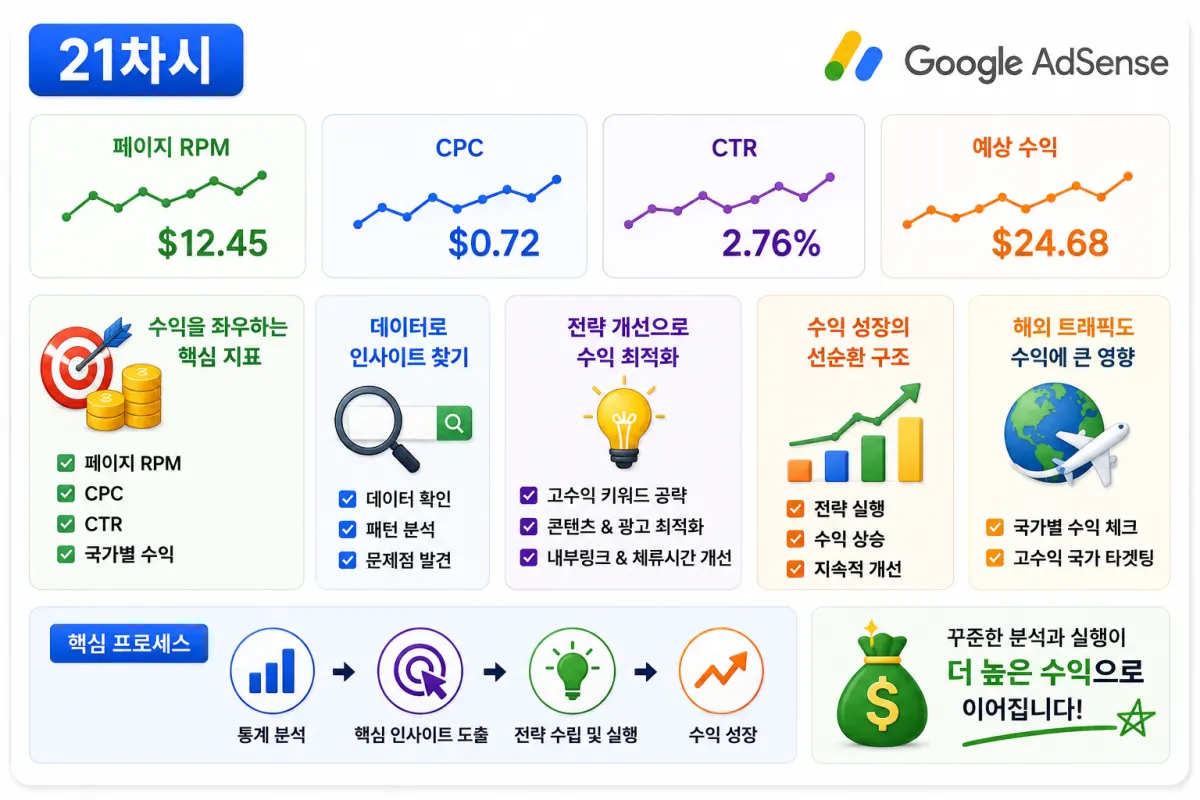
Why Page RPM Is the Most Important Metric
Page RPM stands for estimated earnings per 1,000 page views.
In AdSense, it's one of the most important metrics.
For example,
If your Page RPM is steadily increasing,
It means you're generating higher revenue with the same number of visitors.
Sometimes, improving Page RPM is more effective than simply increasing visitor numbers.
CPC Represents Ad Cost Per Click
CPC (Cost Per Click) is the average price per click for an ad.
Industries with high competition like insurance, finance, and legal services often have higher CPCs.
Conversely, general informational keywords might have lower CPCs.
If your CPC is gradually increasing, it may indicate that more valuable traffic is coming from relevant keywords.
CTR Is the Ad Click-Through Rate
CTR (Click-Through Rate) is the percentage of people who click on an ad after seeing it.
For example,
If an ad was displayed 1,000 times,
And received 20 clicks,
The CTR would be 2%.
CTR is heavily influenced by ad placement and content quality.
Aim for a stable, natural CTR rather than just chasing high numbers.
Estimated Earnings Are Just for Reference
The estimated earnings in your AdSense dashboard can fluctuate in real-time.
It may differ from the final payment amount.
Therefore, rather than reacting too strongly to daily earnings,
Check trends weekly,
Monthly,
And quarterly as well.
Also Check Revenue by Country
In AdSense, you can also view revenue by country.
Since ad costs vary by country,
The same number of visitors might generate different revenues.
If international traffic is gradually increasing,
You may see changes in CPC and RPM as well.
Examine Page-by-Page Statistics
Not all pages earn the same revenue.
Some pages have high visitor numbers,
While others have higher ad rates.
By examining page-level statistics,
You can see which content is actually generating revenue.
This data can also help with planning future content.
Compare Numbers Over Time
No need to worry if your CPC is slightly lower today.
Statistics should be compared over longer periods,
Such as weekly,
Monthly,
And quarterly,
Rather than day-to-day.
Looking at long-term trends makes it easy to see if your site is growing.
Develop a Habit of Improving Based on Statistics
Statistics are meaningless if you just look at them.
For example,
If Page RPM is low,
You might improve your content or check ad placement.
If CTR is low,
You could reassess user experience and ad positioning.
Developing a habit of making small improvements based on data is crucial.
The Most Common Mistakes Beginners Make
These mistakes often occur:
Continuously checking only daily earnings.
Focusing solely on CPC.
Not checking Page RPM.
Failing to compare statistics over time.
Not utilizing the data for improvements.
Statistics aren't just about numbers,
They're a tool to grow your site.
AdSense Statistics Checklist
Check these items once a week:
Is Page RPM increasing?
What changes are happening with CPC?
Is CTR stable?
Are visitor numbers growing?
Are there changes in country-based traffic?
Which pages generate the most revenue?
Have new popular posts emerged?
Consistently using this checklist will help you determine your site's direction.
Understanding Numbers Reveals Growth Direction
AdSense statistics aren't just numbers.
They show which articles visitors prefer,
Which keywords generate revenue,
And which pages need improvement.
The more you understand these numbers, the faster you can grow your site.
Conclusion
To operate AdSense long-term, move beyond just checking earnings.
Analyzing Page RPM, CPC, CTR, country-based revenue, and page performance will help you see which content actually generates income.
Developing a habit of making consistent improvements based on data leads to long-term AdSense success.
In the next lesson, we'll cover reasons why AdSense accounts get suspended.
You'll learn about invalid clicks, policy violations, low-quality content, and how to safely operate your account without issues.
FAQ
What is Page RPM?
Page RPM stands for Estimated Earnings per 1,000 Page Views, showing revenue generated from every thousand page views.
Why should I check country-based revenue in AdSense?
Ad costs vary by country, so visitors from different regions may generate different revenues. Checking country data helps identify high-value traffic sources.
Korean Source
This article is an English localization of a Korean-language report from BlogScore. Original: [21차시-실전편] 애드센스 통계 제대로 보는 방법! CPC, CTR, 페이지 RPM 쉽게 이해하기