
How to Get AI to Write SQL for Your Database
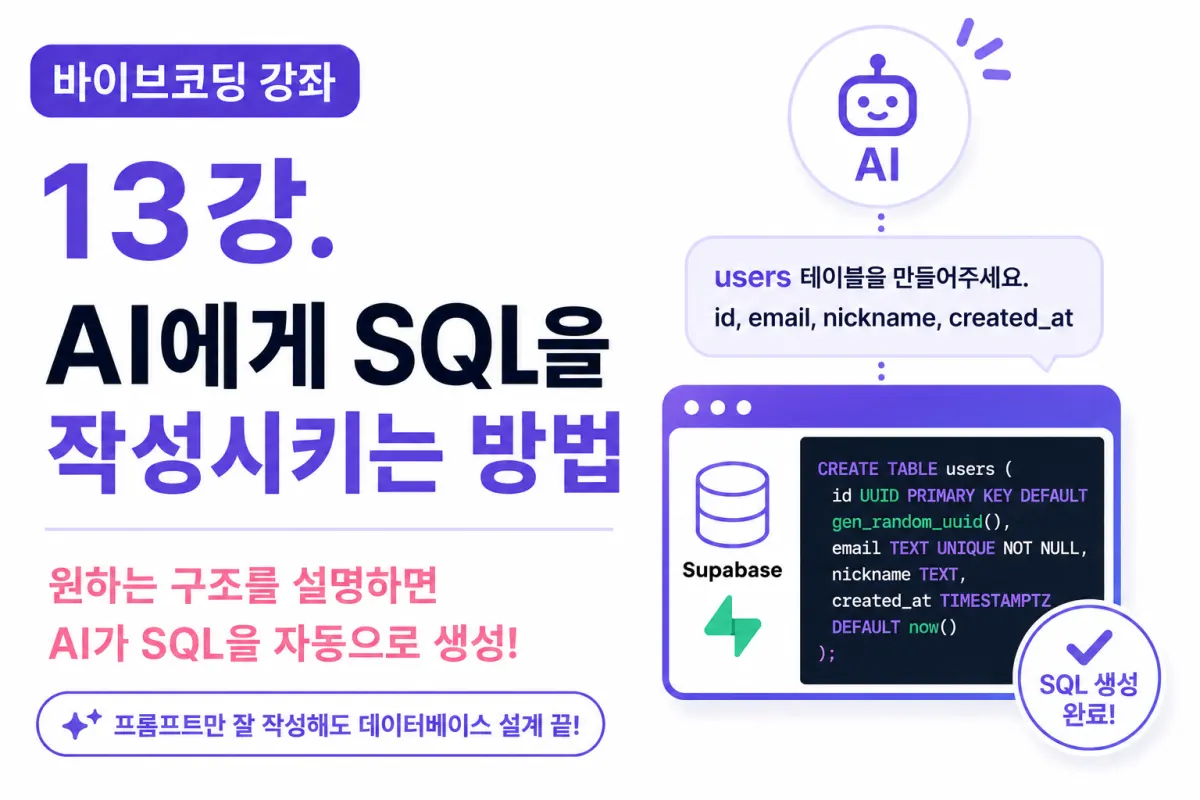
What You'll Learn in This Lesson
Last week, we connected Supabase MCP with Cursor AI.
Now, AI can understand your actual database structure.
In this lesson, you'll learn how to get AI to write SQL for you.
Instead of painstakingly typing out SQL syntax line by line, we're entering an era where you can design databases through conversation with AI.
This lesson covers:
Why delegate SQL writing to AI
How to write effective SQL prompts
Requesting table creation
Adding columns
Designing relationships (Relationships)
Reviewing AI-generated SQL
Why Delegate SQL to AI?
Many beginners struggle with SQL syntax.
For example, creating a simple users table required knowing multiple syntax elements:
CREATE TABLE
PRIMARY KEY
FOREIGN KEY
DEFAULT
INDEX
A single mistake could cause errors, and changing data structures was difficult.
Now, you can simply describe your desired structure to AI, which will generate most of the SQL for you.
In other words, the ability to think about how to store data is more important than memorizing SQL syntax.
Good Examples of SQL Prompts
For example, you can request like this:
Using Supabase PostgreSQL.

Create a users table to store member information.

Columns should be:

- id (UUID)
- email
- nickname
- created_at

Set primary key and set created_at as default current time.
By including your database type and required columns, AI will generate appropriate SQL.
Bad Examples of SQL Prompts
Absolutely vague requests like these are problematic:
Create a member table.
Design it yourself.
These make it difficult for AI to understand your intent.
Always include:
Project purpose
Database being used
Necessary columns
Conditions
in your requests.
Requesting Table Creation
In this project, we need a table to store user information first.
You can ask AI like this:
Create users table based on PostgreSQL.
Use UUID as primary key, disallow duplicate emails, and automatically save creation date (created_at).
AI doesn't just provide SQL—it also explains the design rationale.
Requesting Column Additions
As your project progresses, you may need new information storage.
For example, to store nicknames:
Create SQL to add nickname column to users table.
AI will recommend appropriate data types, saving you time on research.
Ask AI About Data Types
Beginners often struggle with choosing proper data types.
Questions like:
Should age be INTEGER?
Is DATE better for birthdates?
Should bio be TEXT or VARCHAR?
You can ask AI these questions, and it will explain pros and cons.
For example:
Which is better for a bio column: VARCHAR or TEXT?
Designing Table Relationships
Date apps require multiple tables like:
users
profiles
likes
matches
messages
The most crucial part is designing relationships between tables.
Ask AI:
How should users and profiles be related?
AI will explain whether it should be 1:1 or 1:N relationship.
Designing Like Features
For example, let's assume you need a likes table for a like feature in a dating app.
Ask AI:
Design a likes table for a dating app's like feature.
AI will suggest how to store sender and receiver user information through columns.
Designing Matching Features
The core of a dating app is matching when two users like each other.
Ask AI:
Design matches table and connect it with users relationship.
AI will provide necessary columns and foreign keys (Foreign Key).
Let AI Handle Indexes
To improve search speed, indexes are often used.
For example, if you frequently search by email:
Add index to email column.
AI will generate appropriate SQL for this request.
As projects grow larger, proper indexing becomes increasingly important.
Review SQL Before Execution
Before running AI-generated SQL, it's wise to review it first.
Check these items:
Are column names correct?
Are data types appropriate?
Is there a primary key?
Are foreign keys needed?
Should UNIQUE be set?
Going through this process prevents most mistakes.
Improve Your Database with AI
Databases aren't one-time creations—they require ongoing refinement as projects grow.
For example, ask:
Are there areas to improve in the current users table?
AI will suggest:
Unnecessary columns
Missing indexes
Performance improvement methods
Frequently Used Prompts Going Forward
In this project, you'll often use these requests:
Create tables
Add columns
Design relationships
Optimize SQL
Add indexes
Improve performance
In short, you'll design databases through conversation with AI rather than writing SQL directly.
Do You Need to Memorize All SQL Syntax?
The answer is no—you don't need to memorize all syntax.
However, you must understand basic concepts like:
What tables are
What columns are
What primary keys are
What foreign keys are
AI will handle syntax, but you still need to decide what structure works best.
Next Lesson Preview
In the next lesson, we'll sign up for Vercel and create a project.
After connecting Vercel MCP, AI will participate in deploying and operating your project on the internet.
Conclusion
AI has evolved from being just an SQL writing tool to becoming a development partner that collaborates on database design.
In this lesson, you learned how to get AI to write SQL and craft effective prompts.
The next lesson will prepare you for deploying your project using Vercel, taking the first step toward serving your project online.
FAQ
Do I need to know all SQL syntax to use this method?
No, you don't need to memorize all SQL syntax. Understanding basic concepts like tables, columns, primary keys, and foreign keys is sufficient.
Can AI handle complex database relationships?
Yes, AI can help design relationships between tables, including 1:1 or 1:N relationships, and suggest appropriate column structures for features like likes and matches in a dating app.
Korean Source
This article is an English localization of a Korean-language report from BlogScore. Original: [바이브코딩 강좌] 13강. AI에게 SQL을 작성시키는 방법