
Creating a Real-Time AdSense Earnings Digital Frame Using an ESP Board
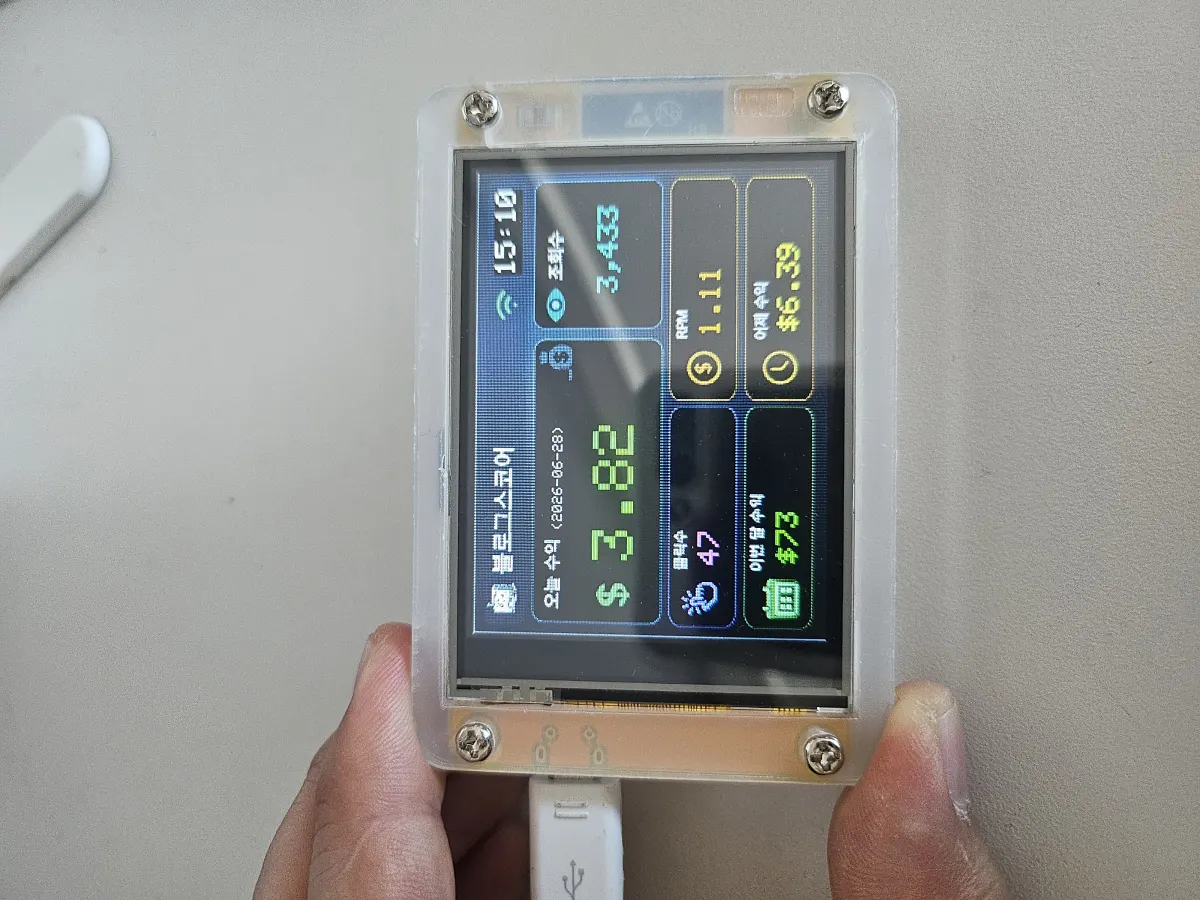
Creating a Real-Time AdSense Earnings Digital Frame Using an ESP Board
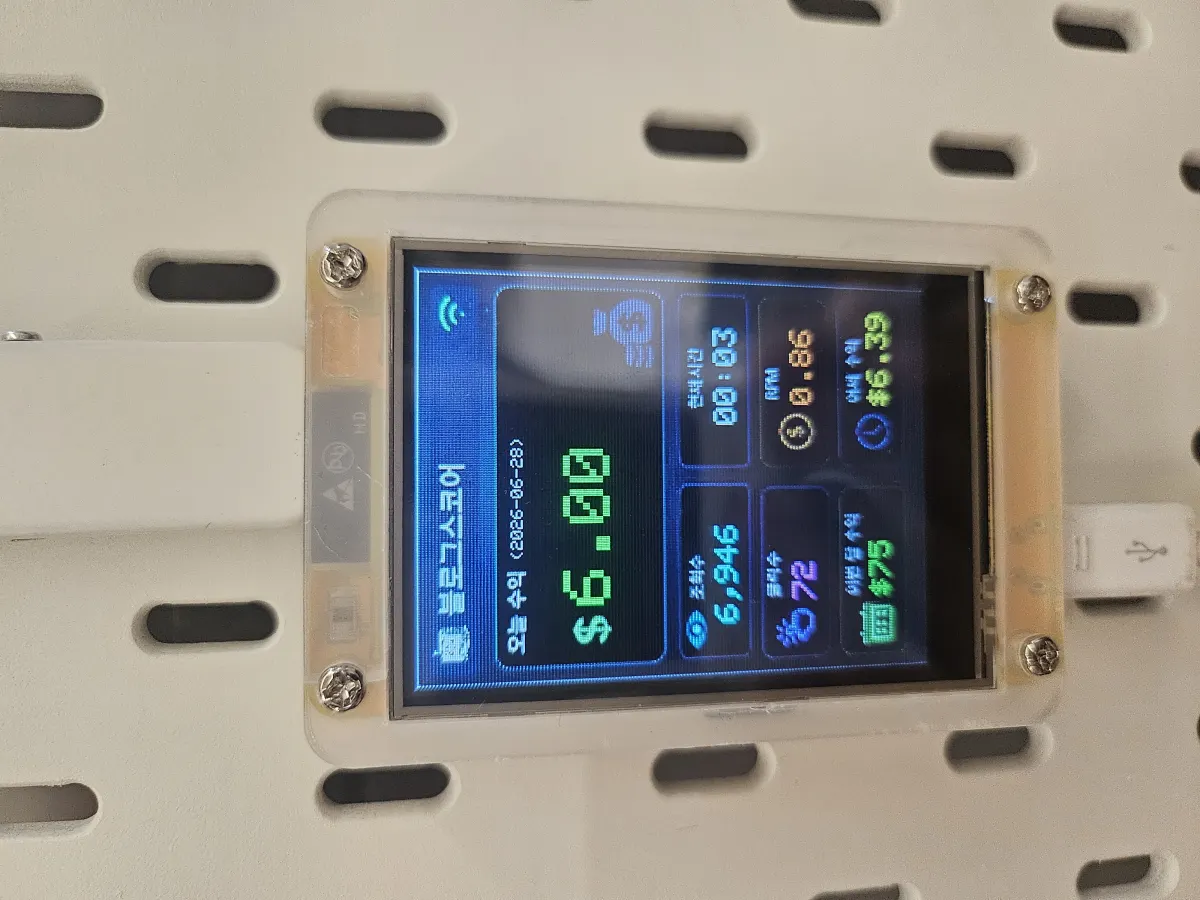
I found an old ESP32-2432S028 (commonly called Cheap Yellow Display, CYD) board that had been sitting around unused for two years.
I built an AdSense earnings dashboard and mounted it on the wall like a digital frame.!
The board comes with a display and WiFi built-in, so I just needed to code it up.
- I wonder if I bought this at this price before? 23,750 won (about $18).
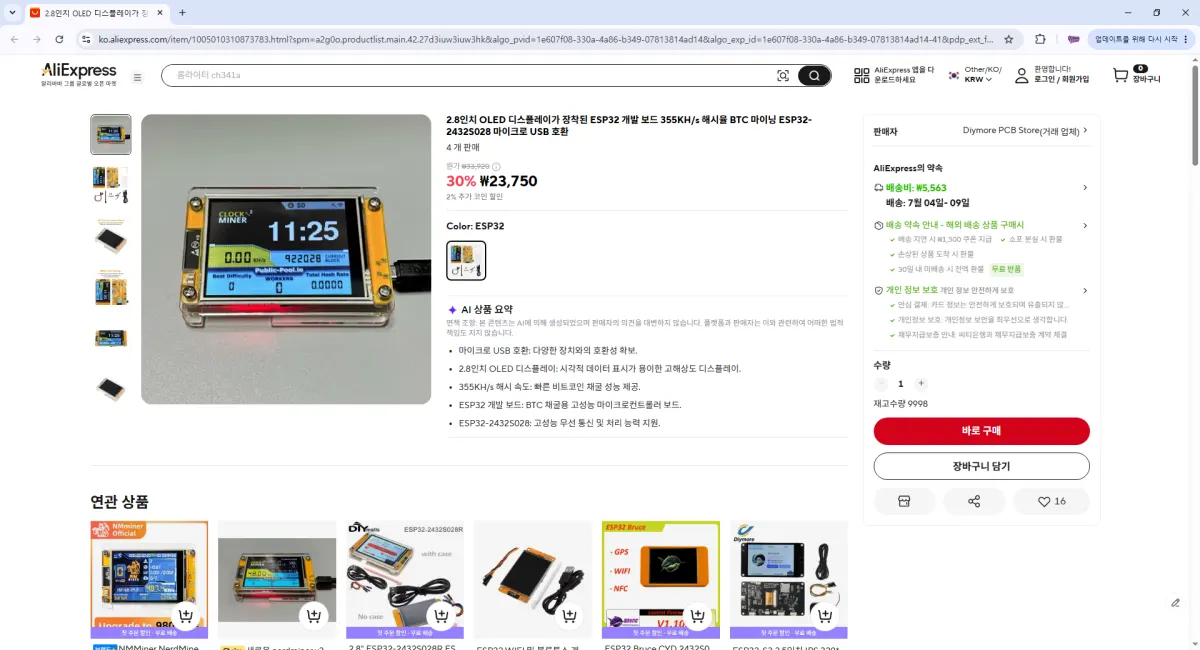
1. Create a Google AdSense Management API REST API
- Set up a system that calls the API every 30 minutes, stores values in my database, and provides a PHP-based RESTful interface.
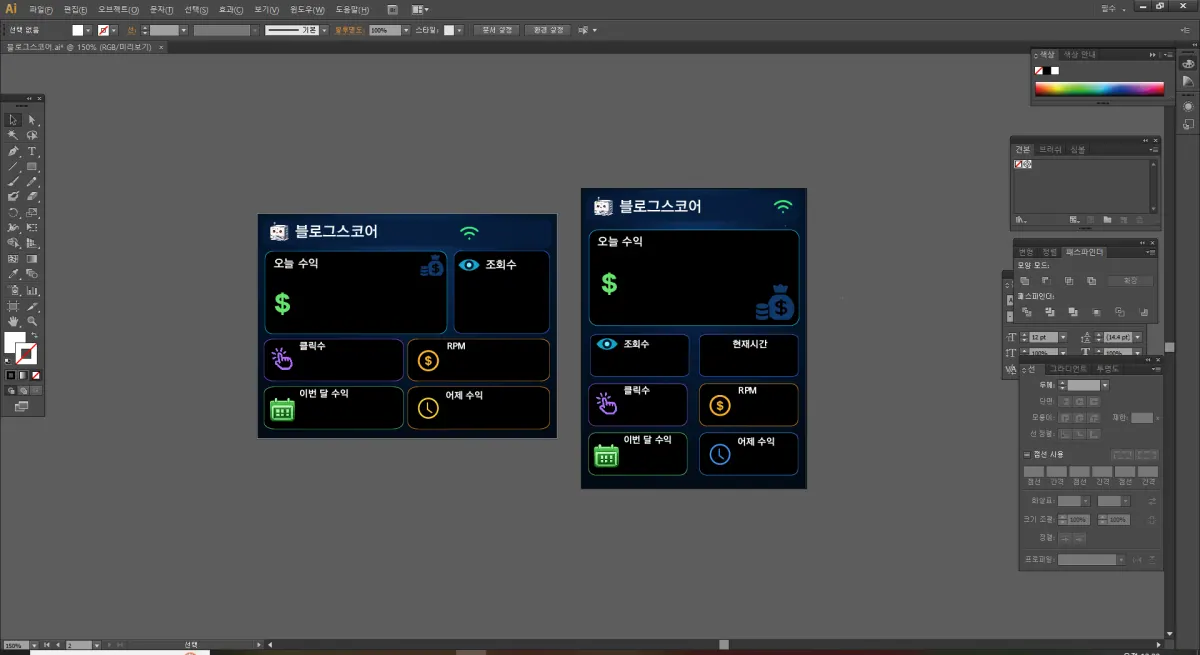
2. Design background image using Adobe Illustrator
- Unfortunately, the board doesn't support Korean characters, so I created a background image and displayed only numerical values on screen.
- Initially designed for 320 * 240 resolution, but had to switch to 240 * 320 due to charging wiring issues.
3. Code in Arduino IDE
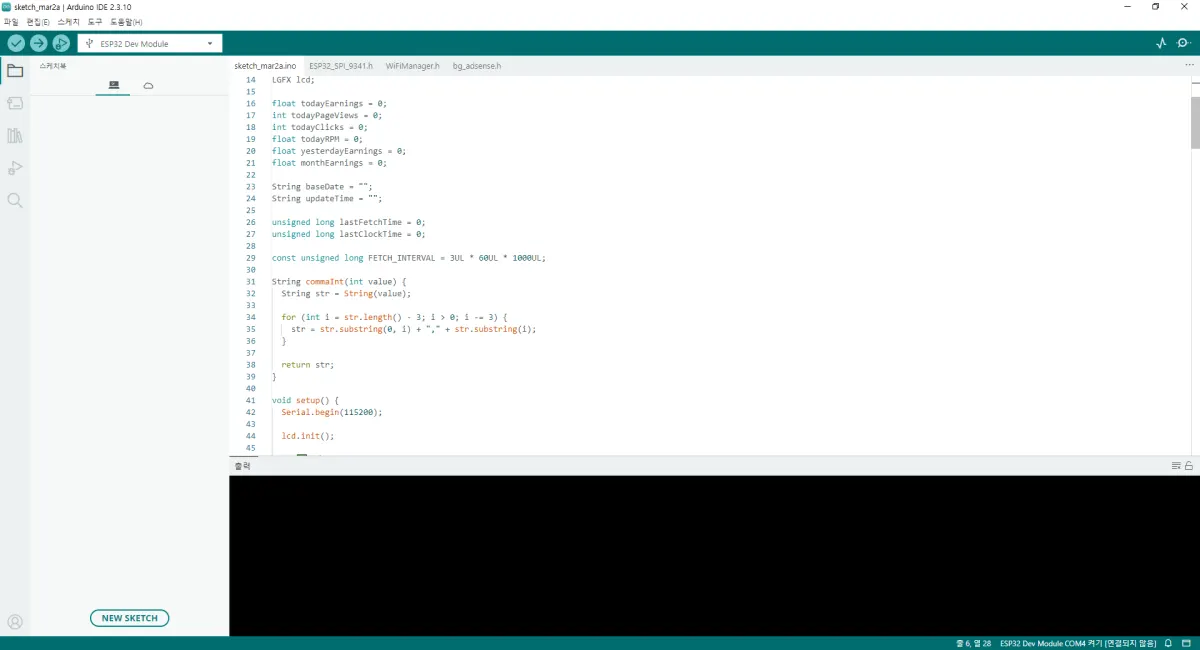
- Arduino source code
#include <WiFi.h>
#include <WiFiClientSecure.h>
#include <HTTPClient.h>
#include <ArduinoJson.h>
#include <time.h>
#include "ESP32_SPI_9341.h"
#include "bg_adsense.h"

#define WIFI_SSID ""
#define WIFI_PASS ""

#define ADSENSE_API_URL ""

LGFX lcd;

float todayEarnings = 0;
int todayPageViews = 0;
int todayClicks = 0;
float todayRPM = 0;
float yesterdayEarnings = 0;
float monthEarnings = 0;

String baseDate = "";
String updateTime = "";

unsigned long lastFetchTime = 0;
unsigned long lastClockTime = 0;

const unsigned long FETCH_INTERVAL = 3UL * 60UL * 1000UL;

String commaInt(int value) {
  String str = String(value);

  for (int i = str.length() - 3; i > 0; i -= 3) {
    str = str.substring(0, i) + "," + str.substring(i);
  }

  return str;
}

void setup() {
  Serial.begin(115200);

  lcd.init();

  // ✅ Portrait mode: 240 x 320
  lcd.setRotation(2);

  lcd.fillScreen(TFT_BLACK);

  connectWiFi();

  // ✅ Set to Korean time zone
  configTime(9 * 3600, 0, "pool.ntp.org", "time.nist.gov");

  fetchAdsenseData();
  lastFetchTime = millis();

  drawDashboard();
}

void loop() {
  if (WiFi.status() != WL_CONNECTED) {
    connectWiFi();
  }

  // ✅ Fetch API every 3 minutes
  if (millis() - lastFetchTime >= FETCH_INTERVAL) {
    fetchAdsenseData();
    drawDashboard();
    lastFetchTime = millis();
  }

  // ✅ Update clock every second
  if (millis() - lastClockTime >= 1000) {
    drawClockOnly();
    lastClockTime = millis();
  }
}

void connectWiFi() {
  WiFi.mode(WIFI_STA);
  WiFi.begin(WIFI_SSID, WIFI_PASS);

  lcd.fillScreen(TFT_BLACK);
  lcd.setTextSize(2);
  lcd.setTextColor(TFT_WHITE, TFT_BLACK);
  lcd.setCursor(10, 20);
  lcd.println("WiFi Connecting");

  int retry = 0;

  while (WiFi.status() != WL_CONNECTED && retry < 40) {
    delay(500);
    Serial.print(".");
    retry++;
  }

  if (WiFi.status() == WL_CONNECTED) {
    Serial.println("\nWiFi Connected");
  } else {
    lcd.fillScreen(TFT_BLACK);
    lcd.setCursor(10, 20);
    lcd.println("WiFi Failed");
    delay(2000);
    ESP.restart();
  }
}

void fetchAdsenseData() {
  if (WiFi.status() != WL_CONNECTED) return;

  WiFiClientSecure client;
  client.setInsecure();

  HTTPClient http;
  http.begin(client, ADSENSE_API_URL);

  int httpCode = http.GET();

  if (httpCode == 200) {
    String payload = http.getString();
    Serial.println(payload);

    DynamicJsonDocument doc(24576);
    DeserializationError error = deserializeJson(doc, payload);

    if (!error && doc["success"].as<bool>()) {
      baseDate = doc["base_date"].as<String>();
      updateTime = doc["last_updated"].as<String>();

      todayEarnings = doc["today"]["earnings"].as<float>();
      todayPageViews = doc["today"]["page_views"].as<int>();
      todayClicks = doc["today"]["clicks"].as<int>();
      todayRPM = doc["today"]["rpm"].as<float>();

      yesterdayEarnings = doc["yesterday"]["earnings"].as<float>();
      monthEarnings = doc["this_month"]["earnings"].as<float>();

      Serial.print("Today: ");
      Serial.println(todayEarnings, 2);
    } else {
      Serial.print("JSON Error: ");
      Serial.println(error.c_str());
    }
  } else {
    Serial.printf("HTTP Error: %d\n", httpCode);
  }

  http.end();
}

void drawDashboard() {
  lcd.fillScreen(TFT_BLACK);

  // ✅ Display portrait background image (240x320)
  lcd.drawJpg(bg_adsense, bg_adsense_len, 0, 0);

  drawBaseDate();
  drawNumbers();
  drawClockOnly();
}

void drawClockOnly() {
  struct tm timeinfo;

  if (!getLocalTime(&timeinfo)) return;

  char buffer[6];
  strftime(buffer, sizeof(buffer), "%H:%M", &timeinfo);

  // ✅ Clear clock area before redrawing
  lcd.fillRect(150, 174, 80, 24, TFT_BLACK);

  lcd.setTextSize(2);
  lcd.setTextColor(TFT_WHITE, TFT_BLACK);
  lcd.setCursor(152, 178);
  lcd.print(buffer);
}

void drawBaseDate() {
  // ✅ Display today's earnings date
  lcd.setTextSize(1);
  lcd.setTextColor(TFT_LIGHTGREY);
  lcd.setCursor(72, 54);

  if (baseDate.length() > 0) {
    lcd.print("(");
    lcd.print(baseDate);
    lcd.print(")");
  }
}

void drawNumbers() {
  // ✅ Today's earnings
  lcd.setTextSize(4);
  lcd.setTextColor(TFT_GREEN);
  lcd.setCursor(45, 85);
  lcd.print(todayEarnings, 2);

  // ✅ Page views
  lcd.setTextSize(2);
  lcd.setTextColor(TFT_CYAN);
  lcd.setCursor(32, 178);
  lcd.print(commaInt(todayPageViews));

  // ✅ Clicks
  lcd.setTextSize(2);
  lcd.setTextColor(TFT_MAGENTA);
  lcd.setCursor(45, 228);
  lcd.print(todayClicks);

  // ✅ RPM
  lcd.setTextSize(2);
  lcd.setTextColor(TFT_ORANGE);
  lcd.setCursor(165, 228);
  lcd.print(todayRPM, 2);

  // ✅ This month's earnings
  lcd.setTextSize(2);
  lcd.setTextColor(TFT_GREEN);
  lcd.setCursor(45, 280);
  lcd.print("$");
  lcd.print((int)monthEarnings);

  // ✅ Yesterday's earnings
  lcd.setTextSize(2);
  lcd.setTextColor(TFT_YELLOW);
  lcd.setCursor(165, 280);
  lcd.print("$");
  lcd.print(yesterdayEarnings, 2);
}
Now I can check my earnings without even pulling out my phone. ㅎㅎ
ㅋ.ㅋ
Unfortunately, you'll need to get your own Google Console AdSense Management API approved and set up a backend REST interface, so I can't share the full setup for others.!!!
Anyway, my blog goal was suddenly $5... and now it's already over $6.!!!
Next goal: $10
FAQ
What is the ESP32-2432S028 board?
The ESP32-2432S028, also known as the Cheap Yellow Display (CYD), is an affordable display board with built-in WiFi and a 240x320 pixel screen.
How does the AdSense API integration work?
The project fetches data from Google AdSense every 3 minutes via a REST API, displaying real-time earnings, page views, clicks, and RPM on the digital frame.
Korean Source
This article is an English localization of a Korean-language report from BlogScore. Original: ESP 보드에 애드센스 실시간 수익 디지털 액자 만들기