
Create Your Own AdSense Earnings Dashboard for Google AdSense
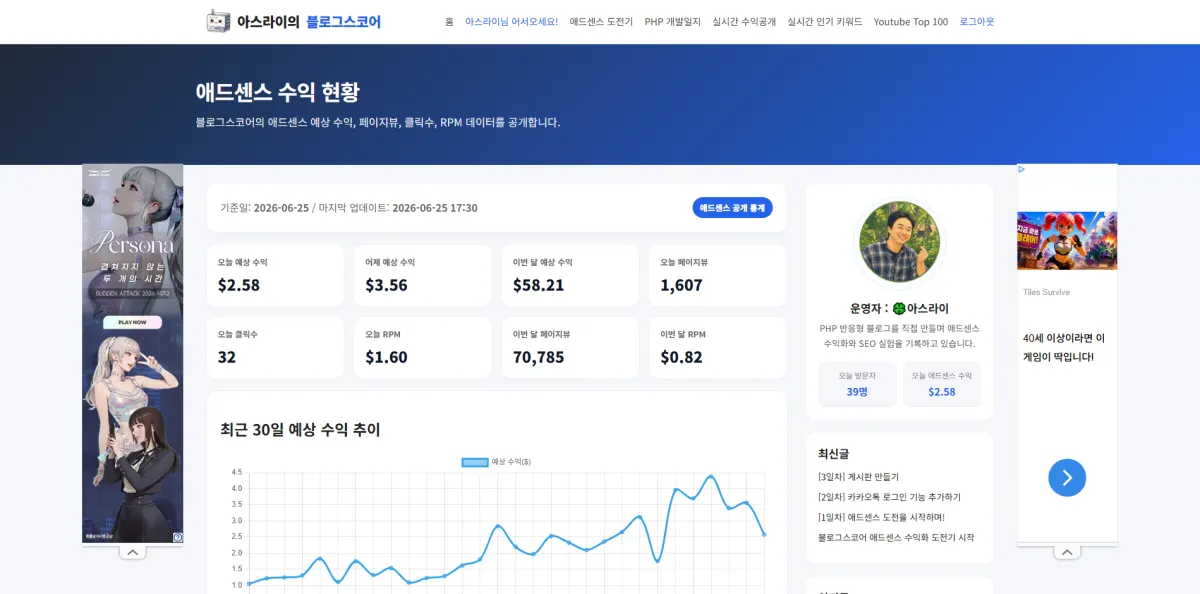
For years, I've been checking my AdSense earnings by just looking at the numbers. And then there's the reports—so many that it's hard to make sense of them all.
I decided to create my own dashboard where I can see everything clearly in one place.
- adsense_stats.php
First, you need to apply for the AdSense Management API through Google Cloud.
Create an OAuth token...
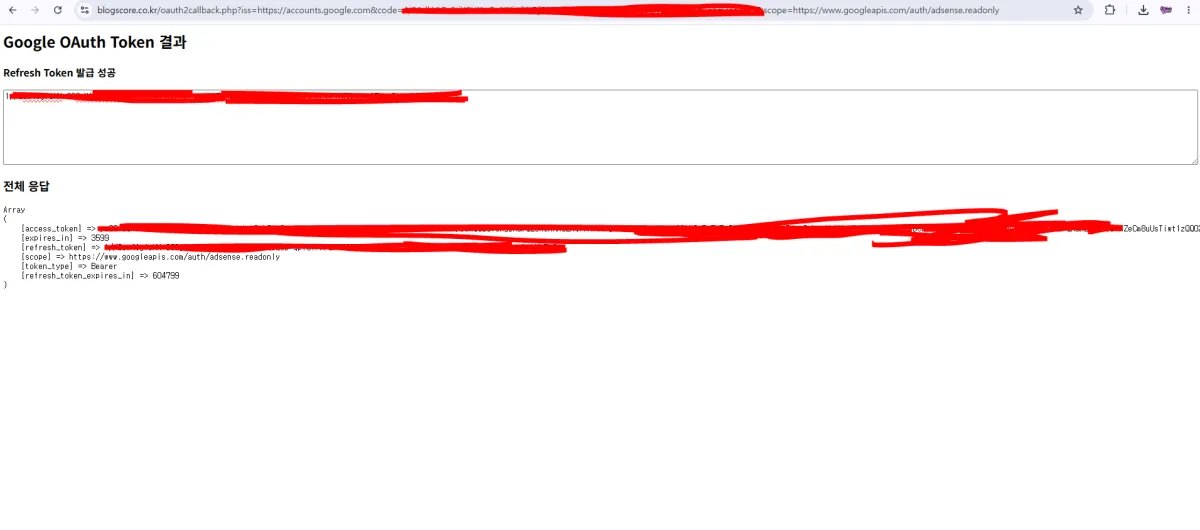
You'll then need to generate a refresh_token using your client_id and client_secret from the downloaded credentials.
I created a file called oauth2callback.php to handle this process.
This part isn't easy...
function getAccessToken($client_id, $client_secret, $refresh_token) {
    $ch = curl_init("https://oauth2.googleapis.com/token");

    curl_setopt_array($ch, [
        CURLOPT_POST => true,
        CURLOPT_POSTFIELDS => http_build_query([
            "client_id" => $client_id,
            "client_secret" => $client_secret,
            "refresh_token" => $refresh_token,
            "grant_type" => "refresh_token"
        ]),
        CURLOPT_RETURNTRANSFER => true,
        CURLOPT_HTTPHEADER => [
            "Content-Type: application/x-www-form-urlencoded"
        ]
    ]);

    $response = curl_exec($ch);
    curl_close($ch);

    $data = json_decode($response, true);

    if (!isset($data['access_token'])) {
        die("<pre>Access Token issuance failed\n" . print_r($data, true) . "</pre>");
    }

    return $data['access_token'];
}
- oauth2callback.php
Next, create a database table to store the data:
CREATE TABLE `blogscore_adsense_stats` (
  `id` int UNSIGNED NOT NULL,
  `stat_date` date NOT NULL,
  `estimated_earnings` decimal(10,4) DEFAULT '0.0000',
  `page_views` int UNSIGNED DEFAULT '0',
  `clicks` int UNSIGNED DEFAULT '0',
  `rpm` decimal(10,4) DEFAULT '0.0000',
  `raw_json` longtext,
  `updated_at` datetime DEFAULT CURRENT_TIMESTAMP ON UPDATE CURRENT_TIMESTAMP
) ENGINE=InnoDB DEFAULT CHARSET=utf8mb4 COLLATE=utf8mb4_0900_ai_ci;
Set up a service URL on Google Cloud to call from blogscore.co.kr,
then create an adsense_sync.php script that stores AdSense API data into the database.
I set up a Node.js cron job to update the database every 30 minutes. When users visit the page, it reads from the database and displays the latest data! (We'll call this real-time for fun.)
There's no extra load on your server, PHP, or API usage!
This dashboard works better than expected. It's perfect to show off to others!
Want to see my earnings? Check out the final page below.
View AdSense Earnings Dashboard
FAQ
What is an AdSense Management API?
The AdSense Management API allows developers to programmatically access and manage Google AdSense account data, including earnings reports.
How often does the dashboard update?
The dashboard updates every 30 minutes using a scheduled Node.js job.
Korean Source
This article is an English localization of a Korean-language report from BlogScore. Original: 애드센스 수익현황 페이지 만들기