
Connecting Cursor AI to Vercel MCP for Seamless Deployment Management
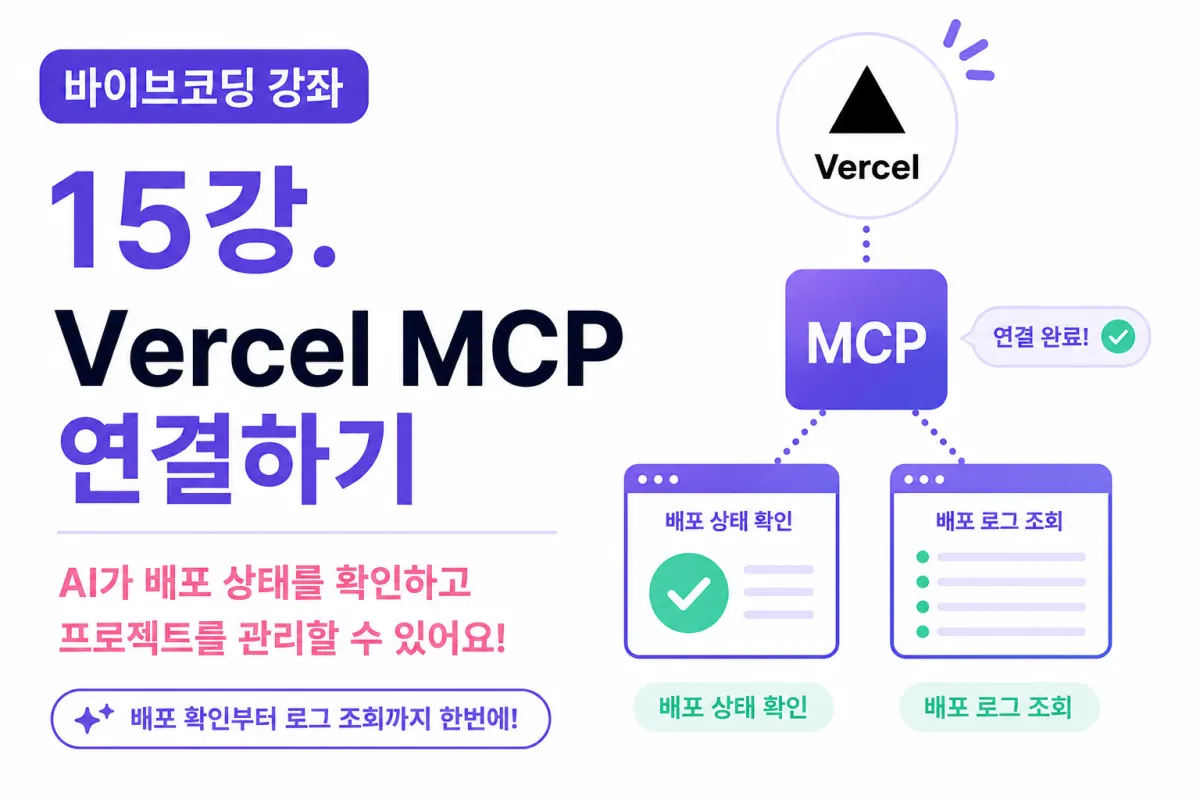
What You'll Learn in This Lesson
In the previous lesson, we signed up for Vercel and created our first project.
Now that the deployment environment is set up,
Cursor AI still can't directly access or understand your deployment setup.
In this lesson, we'll connect Vercel MCP (Model Context Protocol) so that AI can check deployment status and even help manage your project operations.
You'll learn:
What Vercel MCP is
How to generate an API Token
Connecting it with Cursor
Testing the connection
Checking deployment status
Managing operations with AI
What Is Vercel MCP?
Vercel MCP is a feature that connects Cursor AI with your Vercel projects.
If GitHub MCP helps AI understand code,
and Supabase MCP helps it understand databases,
then Vercel MCP helps AI understand your deployment environment.
This means AI can now:
Understand project code
Access database information
Check live service status
Why Do You Need Vercel MCP?
Before, after deploying a project,
you had to open a browser,
navigate to the Vercel Dashboard,
and manually check the status.
With MCP connected, however,
you can ask Cursor directly:
What's the current deployment status?
or
Was the last deployment successful?
The AI will check your project and provide an answer.
Preparing Your Vercel API Token
To use Vercel MCP, you need authentication.
Create a new API Token in the Vercel Dashboard → Settings → Tokens.
Name your token something easy to recognize,
Cursor MCP
This way, you'll know it's for Cursor integration.
The token will only be shown once after creation—save it securely.
TIP
API Tokens function like passwords. Never share them on GitHub or in public documents.
Registering Vercel MCP in Cursor
Open Cursor's MCP settings screen.
Add a new MCP Server,
and enter the Token you received from Vercel.
Once configured, Cursor will attempt to connect to your Vercel project.
After a few seconds, the connection should be complete,
allowing AI to recognize your deployment environment.
Verifying the Connection
Let's confirm if the connection is working properly.
Ask the AI:
What's the name of the connected Vercel project?
or
Show me the recent deployment history.
If everything is set up correctly, it will respond with actual project details.
Asking AI About Deployment Status
Now try asking Cursor:
Is the current project deployed successfully?
The AI can check:
Last deployment time
Success or failure status
Project health
Analyzing Deployment Failures
Build errors can happen during development.
Examples include:
Missing environment variables
TypeScript errors
Import issues
Previously, you had to check Vercel logs manually,
but now you can ask AI:
Analyze why the last deployment failed.
The AI will examine the logs and explain the issue,
offering possible solutions as well.
Checking Environment Variables
Live services often rely on environment variables like:
NEXT_PUBLIC_SUPABASE_URL
NEXT_PUBLIC_SUPABASE_ANON_KEY
You can now ask AI to check if all required variables are set up correctly:
Check if all necessary environment variables are registered.
Understanding Preview Deployments
Vercel offers Preview Deployments for testing new features before merging into production.
For example, after pushing a design change to GitHub,
a temporary test URL is automatically generated.
You can ask AI:
Show me the preview deployment URL.
To check the testing environment alongside your main project.
How GitHub and Vercel Work Together
GitHub and Vercel are tightly integrated.
For example:
Code changes made in Cursor
Committed to GitHub
Pushed to GitHub
Then, Vercel automatically:
Downloads the project
Buils it
Deploys it
If you've connected Vercel MCP,
you can monitor all these steps with AI.
All Three MCPs Are Now Connected
After this lesson, three MCPs will be fully operational:
MCP | Role |
|---|---|
GitHub MCP | Manages code and repository |
Supabase MCP | Manages database operations |
Vercel MCP | Manages deployment and operations |
Now, Cursor AI has a complete understanding of your project lifecycle.
How You'll Develop With AI From Now On
Starting now, you can ask AI to handle entire workflows like:
Add login functionality.
The AI will assist with:
Code generation
Database modifications
Preparing commits
Checking deployments
This is the essence of Vibecoding.
Will AI Do Everything for You?
No, not yet.
AI is a helpful assistant,
but final decisions should still be made by developers.
Especially for important actions like:
Data deletion
Deployments
Security settings
Always double-check these manually before proceeding.
Your Development Path Forward
So far, we've been setting up the development environment.
Starting next lesson, we'll begin building a dating app from scratch.
The upcoming lessons will cover:
UI design
Database structure
User registration
Login functionality
Profile management
Matching system
Chat features
Preview of Next Lesson
In the next lesson, we'll explore how to use multiple MCPs simultaneously.
You'll learn efficient ways to integrate GitHub, Supabase, and Vercel in one project,
and how to request multiple AI tasks at once through practical examples.
Closing Thoughts
In this lesson, we connected Cursor AI with Vercel MCP,
allowing the AI to understand your deployment environment and manage operations.
Now all three platforms—GitHub, Supabase, and Vercel—are seamlessly integrated with Cursor AI.
Instead of managing each service separately,
you'll work within a unified development environment guided by AI.
The next lesson will cover advanced techniques for using multiple MCPs together,
preparing us for the final steps in building our dating app.
FAQ
What is Vercel MCP?
Vercel MCP (Model Context Protocol) connects Cursor AI with your Vercel projects, allowing AI to understand deployment status and help manage operations.
How do I generate a Vercel API Token for Cursor?
Go to Vercel Dashboard → Settings → Tokens, create a new token named 'Cursor MCP', and save it securely.
Can AI handle all development tasks automatically?
No. While AI assists with code generation, database changes, and deployment checks, developers should review critical actions like data deletion or security settings manually.
Korean Source
This article is an English localization of a Korean-language report from BlogScore. Original: [바이브코딩 강좌] 15강. Vercel MCP 연결하기