
Building Tables with AI: A Step-by-Step Guide for Developers
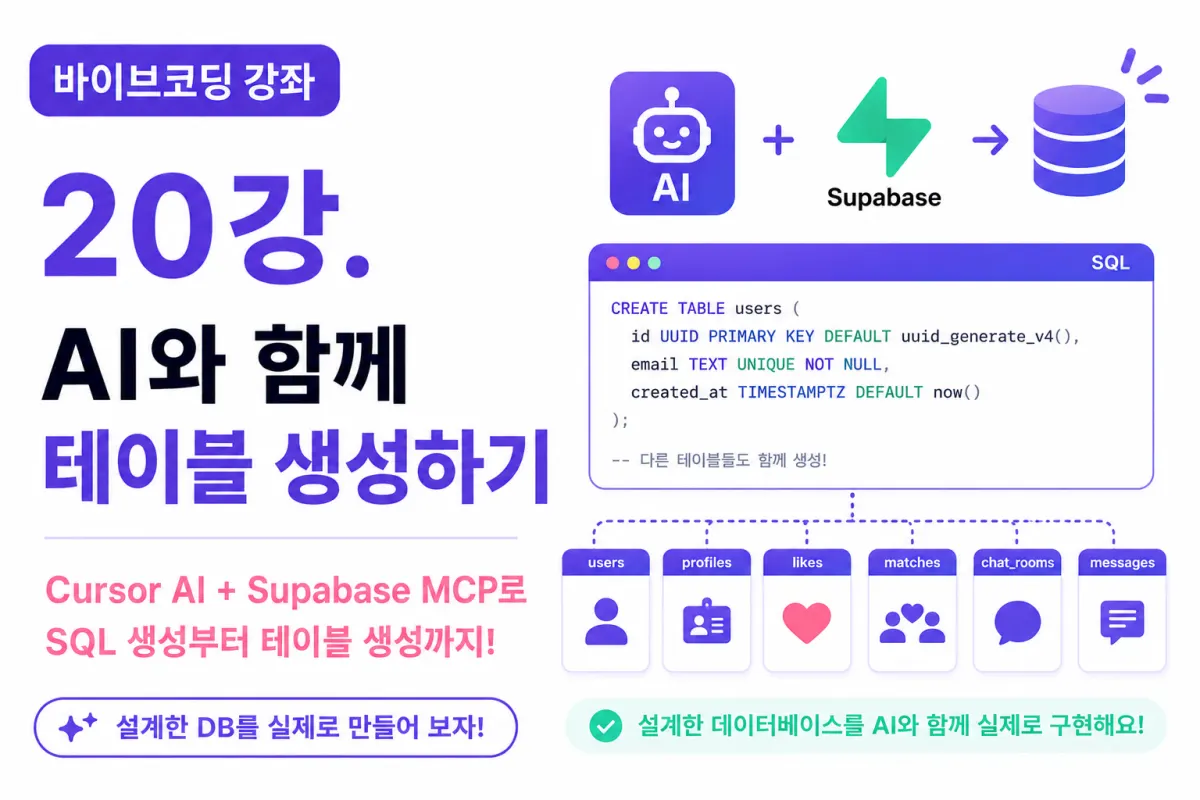
What You'll Learn in This Lesson
Last week, we designed the database structure needed for a dating app.
In this lesson, we'll implement that design into an actual database.
Previously, developers had to write SQL queries manually,
but now, with Cursor AI and Supabase MCP, most of the work can be done collaboratively with AI.
This lesson will cover:
Requesting SQL from AI
Reviewing generated SQL
Creating tables
Verifying the results
Modifying and regenerating as needed
Let's get started.
Starting Implementation After Design
In our previous lesson, we designed these tables:
users
profiles
likes
matches
chat_rooms
messages
notifications
We'll now create each one in Supabase.
First, Requesting from AI
We ask Cursor AI to generate SQL for our tables with a clear request:
Generate SQL based on Supabase PostgreSQL for a dating app database.

Create the following tables:

- users
- profiles
- likes
- matches
- chat_rooms
- messages

Also include Primary Keys and Foreign Keys.
Providing context about your project and required tables helps AI produce more accurate SQL.
Reviewing AI-Generated SQL
AI usually generates correct SQL,
but it's important to review before executing directly.
Check these key points:
PRIMARY KEY configuration
FOREIGN KEY relationships
UNIQUE constraints
NULL allowance settings
DEFAULT values
SQL review is a standard practice in professional development.
Creating the users Table
We'll start with the users table to store member information.
This table will include:
User ID
Email
Creation date
Only essential data is stored here, as Supabase Auth handles login functionality to avoid duplicate information.
Creating the profiles Table
Next comes the profiles table for user details:
Nickname
Gender
Age
Location
Bio
Profile image URL
This table connects 1:1 with the users table.
Creating the likes Table
The likes table implements the 'like' feature:
from_user_id
to_user_id
created_at
When requesting from AI, specify that a user shouldn't be able to like the same person multiple times by adding UNIQUE constraints.
Creating the matches Table
Matches are created when two users 'like' each other:
user1_id
user2_id
matched_at
Request AI to prevent duplicate matches for the same user pair.
Creating the chat_rooms Table
Chat rooms are created after a match:
room_id
match_id
created_at
Linking chat rooms to match information simplifies management.
Creating the messages Table
The messages table stores most data:
room_id
sender_id
created_at
message
AI recommends appropriate column lengths and data types.
Creating the notifications Table
We'll set up a basic notification structure:
New likes
New matches
New messages
This lesson focuses on creating the foundational structure.
Executing SQL
After reviewing AI-generated SQL,
run it in Supabase's SQL Editor.
Once complete, open Table Editor to verify all tables were created successfully.
Asking AI About Errors
If you encounter errors during execution:
Typo in column names
Foreign key issues
Data type mismatches
Ask AI to analyze the error with a request like:
Analyze this SQL error and provide solutions.
AI will explain causes and fixes in detail.
Verifying Created Tables
In Table Editor, check:
Number of tables
Column names
Data types
Default values
Relationships
This ensures the implementation matches our design.
Improving Structure with AI
After creating tables, you can ask AI to suggest improvements:
What performance optimizations exist in this structure?
Or:
Which columns should have indexes added?
AI will analyze your project and propose enhancements.
Modifying with AI
As development progresses, you might need new columns:
For example, to add MBTI data:
Create SQL to add an mbti column to the profiles table.
AI automatically generates ALTER TABLE statements for these changes.
Good Practices
When modifying databases, follow this sequence:
First, backup
Review SQL
Test in a staging environment
Apply to production
Always review AI-generated SQL before execution.
Next Steps in Development
With this database complete,
Your app's foundation is ready for implementation:
Registration
Login
Profile setup
Now you can begin building actual features.
Next Lesson Preview
The next lesson will cover creating a Next.js project and starting dating app development.
We'll initialize the project, apply Tailwind CSS, and begin front-end development.
Conclusion
This lesson demonstrated using Cursor AI with Supabase MCP to create database tables for a dating app.
With both design and implementation complete,
We're ready to start building user interfaces in the next lessons, moving toward a fully functional dating application.
FAQ
Can I trust AI-generated SQL without review?
No, always review AI-generated SQL before execution to ensure correctness and security.
What is Supabase MCP?
Supabase MCP (Managed Cloud Platform) is a cloud-based database service that simplifies database management for developers.
Korean Source
This article is an English localization of a Korean-language report from BlogScore. Original: [바이브코딩 강좌] 20강. AI와 함께 테이블 생성하기