
Building Real-Time Chat with Vibecoding: Lesson 45
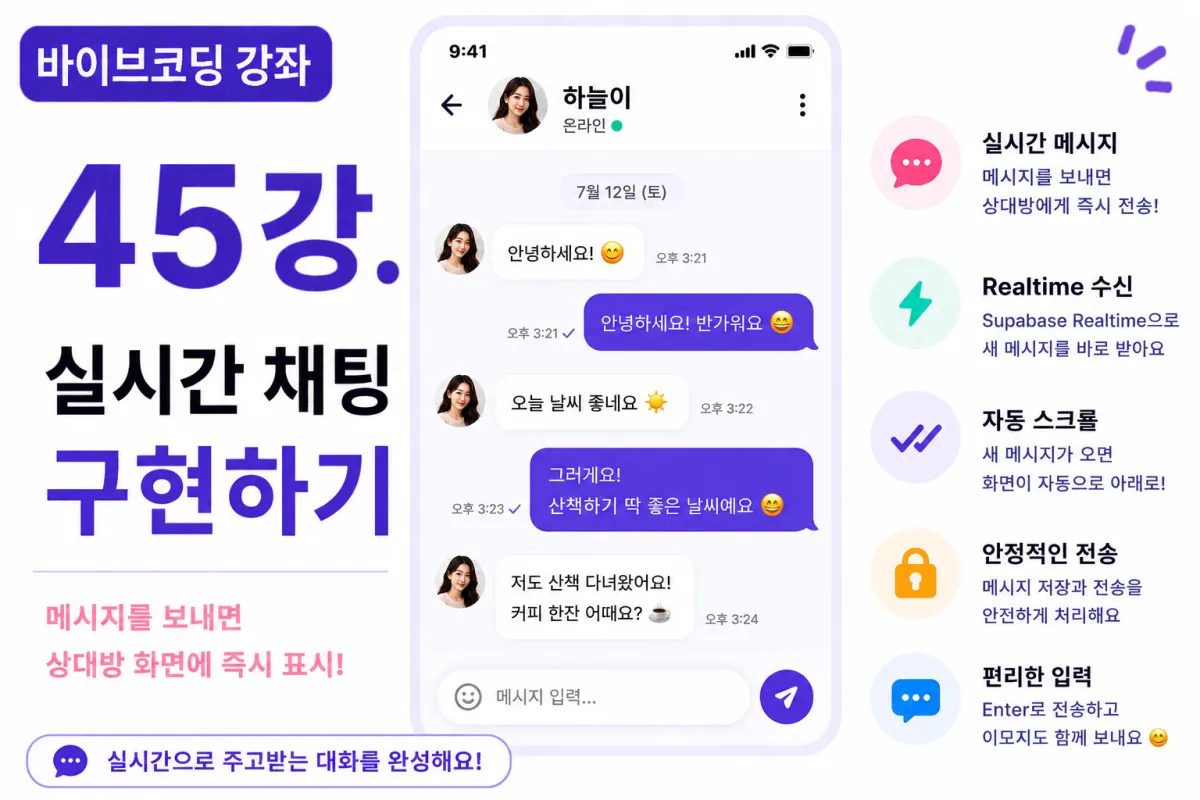
What You'll Learn in This Lesson
In the previous lesson, we connected to Supabase Realtime.
Now, your chat room is continuously linked to the server.
This lesson will finally implement real-time chat functionality.
You'll learn these key topics:
Storing messages
Real-time message reception
Displaying the chat interface
Automatic scrolling
Input field handling
Error handling
By the end of this lesson, you'll be able to have conversations like a real messaging app.
Where Should Messages Be Stored?
Messages are managed in a separate table.
For example:
messages
Create this table.
The basic columns include:
Message ID
Chat room ID
Sender
Message content
Creation time
This structure is commonly used in most messaging services.
Requesting Help from Cursor AI
First, ask Cursor AI to implement the real-time chat feature using Supabase Database and Realtime:
Implement a real-time chat feature using Supabase Database and Realtime.

Store messages and display them immediately on the recipient's screen.
The AI generates both storage code and Realtime event handling code.
Creating the Message Input Field
Place a message input field at the bottom of the chat interface.
Add a "Send" button next to the input field.
Position it for easy one-handed use on mobile devices.
Storing Messages
When users click the Send button, their message is stored in the Supabase Database.
Once saved, a Realtime event triggers automatically.
Real-Time Message Reception
When someone sends a message, the Realtime Channel immediately delivers the event.
New messages appear directly in the chat interface without needing to refresh.
This is the core of real-time messaging.
Message Sorting
Messages are sorted by creation time.
Older messages appear at the top, newer ones at the bottom.
Maintaining chronological order makes conversations easier to read.
Differentiating Your Messages and Others
Messages are displayed differently based on who sent them:
Your messages → Right-aligned
Others' messages → Left-aligned
Using different background colors improves readability.
Automatic Scrolling
When new messages arrive, the screen automatically scrolls to the bottom.
This lets users always see the latest messages without manually scrolling.
This is how most messaging apps work.
Preventing Blank Messages
Messages containing only spaces or no content aren't saved.
Check input values before saving to ensure they're valid.
Enter Key Sending (PC)
On PCs, pressing Enter sends the message.
Using Shift + Enter allows line breaks for longer messages.
Handling Message Sending Status
Disable the Send button while sending a message.
For example, display "Sending..." to prevent duplicate sends.
Improving with Cursor AI
After completing features, ask Cursor AI:
Improve the real-time chat feature for better stability.
The AI suggests improvements like:
Code separation
Error handling
Performance optimization
Handling Network Errors
If internet connection drops, message sending may fail.
In this case, show users:
Message failed to send.

Please try again later.
Performance Optimization
When new messages arrive, don't reload the entire message list.
Add only the new message to React State for fast performance.
Testing the Feature
Test in this order:
Open two browser windows
Enter the same chat room
Send a message
Verify real-time reception
Check automatic scrolling
Confirm messages remain after refreshing
If everything works properly, your real-time chat feature is complete.
GitHub Commit Messages
After completing the feature, ask Cursor AI to generate a commit message:
Create a GitHub commit message for implementing real-time chat functionality.
Small, well-defined commits improve project quality.
Additional Features in Production
In actual services, these features are also provided:
Replies (Reply)
Edit messages
Delete messages
Emojis
File sharing
This project focuses on implementing basic real-time chat functionality.
Your Messaging App Is Now Complete
After this lesson, users will be able to send and receive messages in real time.
This completes one of the core features of dating apps.
Next Lesson Preview
In the next lesson, we'll implement read receipts (Read Receipts) feature.
We'll show when someone has viewed your message and create a common messaging app feature: read status indicators.
Conclusion
This lesson implemented real-time chat functionality.
By covering message storage, Realtime reception, automatic scrolling, and input handling, we've built a chat system that matches real messaging app standards.
In the next lesson, we'll add read receipt features to create an even more polished messaging experience.
FAQ
What is Supabase Realtime?
Supabase Realtime is a feature that allows applications to receive instant updates when data changes in the database, enabling real-time features like live chat without manual refreshing.
Why use Cursor AI for coding assistance?
Cursor AI helps generate code quickly and efficiently by understanding natural language requests, making it easier to implement complex features like real-time messaging with minimal effort.
Korean Source
This article is an English localization of a Korean-language report from BlogScore. Original: [바이브코딩 강좌] 45강. 실시간 채팅 구현하기