
Building Dislike and Skip Features in Vibecoding Course | Lesson 40
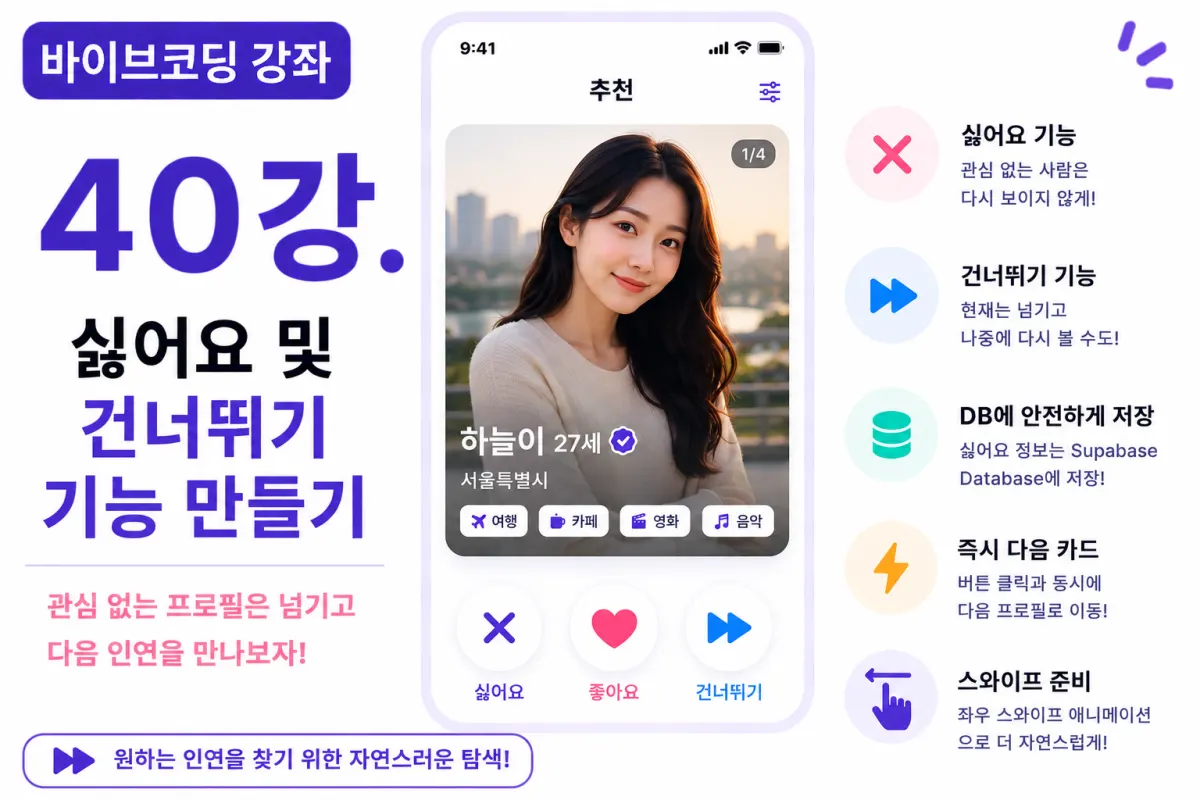
What You'll Learn in This Lesson
Last week, we implemented the like feature.
Now users can send likes to profiles they're interested in.
However, it's also important to allow users to naturally skip profiles they're not interested in.
In this lesson, we'll implement the dislike and skip features.
We'll cover these topics together:
Dislike feature implementation
Skip feature implementation
Swipe preparation
Displaying the next card
Data storage
User experience improvements
By the end of this lesson, your card-swiping functionality will feel much more natural.
The Difference Between Dislike and Skip
While these features seem similar, they serve different purposes.
Dislike (Dislike) saves the current profile so it won't be recommended again.
In contrast, Skip (Skip) is just a temporary way to move to the next card without saving any record.
Skipped profiles might still appear in recommendations later.
The service can operate these features differently based on policy decisions.
Database Design
To store dislike information, we'll create a separate table.
For example:
dislikes
We'll use this table to store the following information:
Sender user ID
Recipient user ID
Creation timestamp
This structure is similar to the like table, making it easier to manage.
Requesting Help from Cursor AI
First, we'll ask Cursor AI with this request:
Implement the dislike feature using Supabase Database.

When a user dislikes a profile, prevent it from being recommended again.
The AI will suggest table design and storage logic together.
Creating the Dislike Button
At the bottom of each card, we'll place a ❌ button next to the like button.
When users click this button:
The current profile disappears immediately from view
The next profile appears automatically
Skip Feature Implementation
The skip feature doesn't save anything to the database.
It simply moves to the next card on screen without keeping a record.
No separate history is kept so the recommendation algorithm can potentially show this profile again later.
Automatic Display of Next Card
After any action (like, dislike, or skip), the next card should appear automatically.
Users don't need to press a button - they'll naturally see new profiles as they swipe through.
Swipe Animations
We'll apply animations when buttons are clicked:
Like → Move right
Dislike → Move left
Skip → Disappear downward
This creates a very similar experience to actual dating apps.
React State Management
When the current card disappears, the next card should appear automatically.
We'll use React state to manage the current index.
Displaying the next user from memory (instead of querying data again) makes the app much faster.
Handling Empty Lists
If there are no more profiles to recommend, we'll show this message:
No more members to recommend.

Please check back later.
It's better to provide an informative screen than a blank one.
Preventing Duplicate Dislikes
We won't save duplicate dislikes for the same user.
Just like with the like feature, preventing duplicate data is important.
Improving with Cursor AI
After implementing the features, we'll ask Cursor AI:
Improve the card transition animations to be more natural.
The AI will suggest options like:
Fade effects
Slide effects
Spring animation
Performance Optimization
We won't query the database every time a card disappears.
Instead, we'll pre-fetch data and process it in memory for faster performance.
We only request additional data when needed.
User Experience Improvements
The next card should appear immediately after pressing a button.
If users have to wait, they might think the service is slow.
Keep animations short and natural for the best experience.
Testing the Features
We'll verify these aspects:
Dislike saving functionality
Skip behavior
Next card display
Animation execution
List end message
If everything works correctly, the card-swiping feature is complete.
GitHub Commit Messages
After completing the features, we'll ask Cursor AI to create a commit message:
Create a Git commit message for implementing dislike and skip features.
Feature-specific commits are crucial for project management.
Additional Features in Real Services
In actual services, these additional features are often provided:
Undo functionality (undo a like/dislike)
Daily dislike limit
Excluding AI recommendations
Selecting reasons for disliking
This project will implement only the basic dislike and skip features.
The Matching System Is Coming Together
By the end of this lesson, users will be able to freely use likes, dislikes, and skips.
Your card-swiping experience now closely resembles actual dating apps.
Next Lesson Preview
In the next lesson, we'll implement automatic matching when both users like each other.
We'll compare like data to create matches and build a foundation for starting chats.
This is where the core functionality of a real dating app begins.
Conclusion
In this lesson, we implemented dislike and skip features.
We completed Supabase database storage, card transitions, animations, and next user display to create a Tinder-style card-swiping experience.
In the next lesson, we'll implement automatic matching to complete the core logic of our dating app.
FAQ
What's the difference between dislike and skip?
Dislike saves a profile to prevent future recommendations, while skip simply moves to the next card without saving any record.
How does database storage work for dislikes?
A separate 'dislikes' table stores sender ID, recipient ID, and timestamp - similar to the like feature's structure.
Korean Source
This article is an English localization of a Korean-language report from BlogScore. Original: [바이브코딩 강좌] 40강. 싫어요 및 건너뛰기 기능 만들기