
Building a Chat Room Feature: A Step-by-Step Guide for Developers
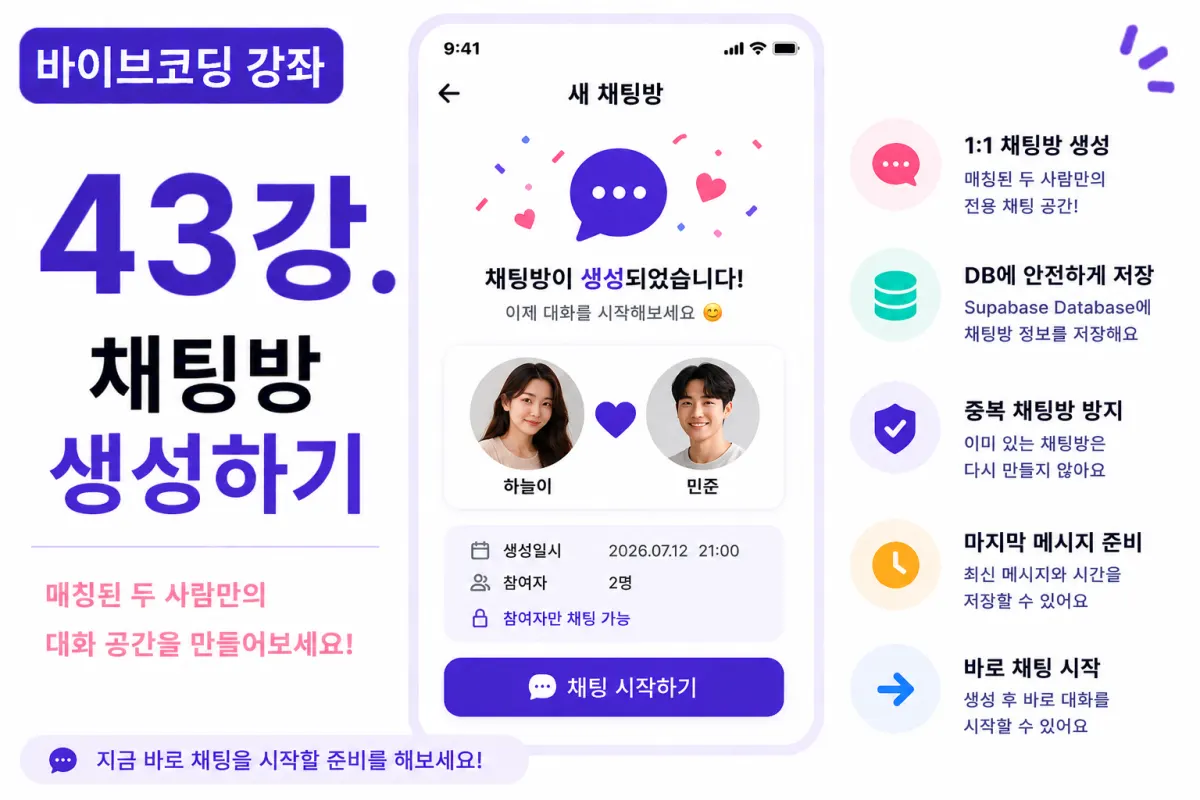
What You'll Learn in This Lesson
Last lesson completed the matching list screen.
Now users can view their matched partners.
This lesson focuses on implementing the first step of real-time chat: chat room creation functionality.
We'll cover these topics:
Designing the chat room database table
Creating a chat room
Preventing duplicate rooms
Retrieving chat room lists
Preparing last message structure
By the end of this lesson, you'll have the foundation for users to start conversations with their matches.
Why Do We Need Chat Rooms?
Just because users are matched doesn't mean they can immediately send messages.
First, a private chat room (accessible only to the two matching users) must exist.
All messages must be managed within one chat room.
Database Design
Begin by creating a table to store chat room information.
For example, using:
chat_rooms
The basic fields we'll store are:
Chat Room ID
User A
User B
Creation Time
Last Message Timestamp
This structure allows for easy management of chat listings.
Requesting Help from Cursor AI
First, ask Cursor AI to implement the feature with this request:
Implement a chat room creation feature for matched users using Supabase Database.

Ensure existing chat rooms aren't recreated.
The AI generates both SQL and the implementation logic.
When to Create Chat Rooms?
There are two common approaches:
First, create immediately upon matching.
Second, create when users click a 'Chat' button.
This project will use the immediate creation approach after matching is complete.
This allows for direct navigation to the chat screen.
Preventing Duplicate Chat Rooms
Two users shouldn't have multiple chat rooms with each other.
So, before creating a new room, we check if one already exists.
If it does, we use the existing room instead.
Managing Chat Room IDs
Chat rooms need unique identifiers.
Supabase's UUID system ensures no duplicates while managing rooms.
Users don't need to see or interact with chat room IDs directly.
Retrieving Chat Room Lists
When users open the chat menu, they'll see a list of chat rooms they're participating in.
The list will display:
Partner's profile picture
Nickname
Last message
Last conversation time
This lesson focuses on setting up the structure for this functionality.
Preparing Last Message Data
Storing the last message in the chat room table speeds up listing display.
For example:
Hello!
We store this recent message, though actual message content is managed separately in a messages table.
Entering Chat Rooms
When users click the 'Chat' button, they're directed to the chat screen using the chat room ID.
The room will be prepared even if no messages exist yet.
Improving with Cursor AI
After implementation, ask Cursor AI:
Improve the chat room creation code for better efficiency.
The AI suggests improvements like:
Function separation
Error handling
Performance optimization
Error Handling Considerations
We must account for scenarios like:
Existing chat rooms already present
Unmatched users trying to access chats
Deleted accounts
The system should function without errors in all these cases.
Performance Optimization
When retrieving chat rooms, we fetch only necessary data:
Profile pictures, nicknames, and last messages are sufficient for a fast list display.
Testing the Feature
Test in this order:
Match two users
Verify chat room creation
Check for duplicate prevention
Confirm chat list retrieval
Test entering a chat room
If all functions properly, the chat room feature is complete.
GitHub Commit Message
After completion, ask Cursor AI:
Create an appropriate commit message for this chat room implementation feature.
Well-structured commit messages are essential for project management.
Additional Features in Production
In real services, these features would also be included:
Group chats
Hiding chat rooms
Leaving chat rooms
Pinning (sticking) chats
This project focuses on implementing 1:1 chat rooms only.
You're Ready for Real-Time Chat Implementation!
After this lesson, the chat room creation and management feature will be complete.
The next lesson will implement real-time messaging using Supabase Realtime, allowing users to send and receive messages instantly.
Your application will start functioning like a true messaging service.
Next Lesson Preview
The following lesson will connect with Supabase Realtime.
We'll implement features that allow receiving new messages in real-time and chatting simultaneously with partners.
Conclusion
This lesson implemented the chat room creation feature.
By designing the database table, preventing duplicates, and setting up list structure, we've established the foundation for real-time chat functionality.
The next lesson will connect Supabase Realtime to create a true instant messaging experience.
FAQ
Why use UUID for chat room IDs?
UUID ensures unique identifiers without duplicates, simplifying management while keeping the system secure and efficient.
How does the system prevent duplicate chat rooms?
Before creating a new room, the system checks if an existing room between two users already exists. If it does, the existing room is used instead of creating a new one.
Korean Source
This article is an English localization of a Korean-language report from BlogScore. Original: [바이브코딩 강좌] 43강. 채팅방 생성하기