
Building an Activity Log System for Your Web Service: A Developer's Guide
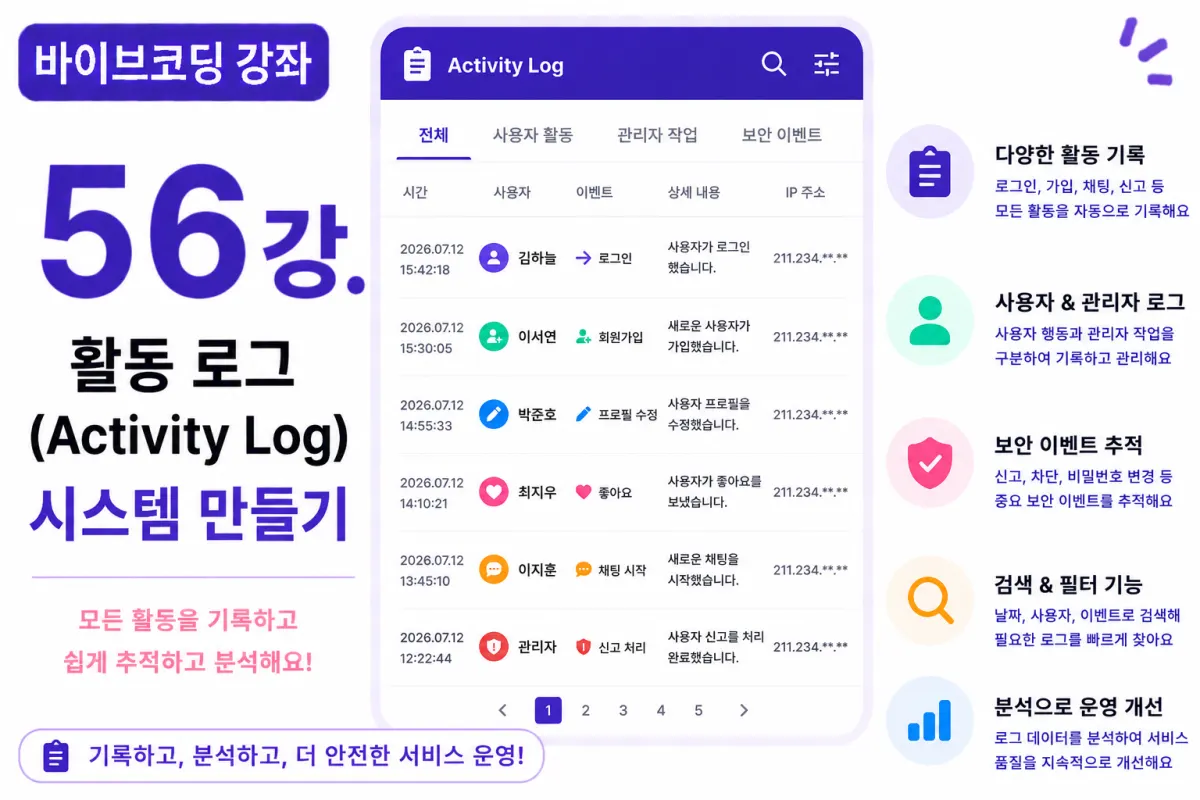
What You'll Learn in This Lesson
Last week, we implemented the Service Settings (Settings) system.
Now administrators can directly manage the service.
In this lesson, we'll implement an Activity Log system to enhance service reliability.
We'll cover these topics together:
Storing activity logs
Recording admin actions
Tracking user activities
Search functionality
Viewing logs
Operational analysis
By the end of this lesson, you'll be able to track major events occurring within your service.
What Is an Activity Log?
An Activity Log is a system that records all important actions taking place within a service.
For example, it logs:
Login
Sign-up
Profile updates
Password changes
Admin actions
This helps identify causes when issues arise.
Why Are Logs Necessary?
If a user reports, "My account was changed suddenly," administrators can check the logs to see who made changes, when, and what was modified.
Database Design
Logs are managed in a separate table.
For example:
activity_logs
Create this table.
The basic columns include:
User ID
Event type
Description
IP address
User-Agent
Creation time
Requesting Help from Cursor AI
First, request from Cursor AI:
Build an Activity Log system using Next.js and Supabase that automatically records sign-ups, logins, profile updates, and admin actions.
The AI generates event storage functions and reusable logging modules.
What Actions to Record?
This project will record these events:
Sign-up
Login
Logout
Profile update
Likes
Matches
Chat initiation
Reports
Bans
Admin login
Announcement registration
Settings changes
You can add more events as needed.
Creating a Common Log Function
Don't duplicate log storage code in multiple places.
Create a common function like:
saveActivityLog()
Call this function whenever needed to reduce code duplication significantly.
Recording Admin Actions
Record all actions taken by administrators, such as suspending members or modifying announcements.
Maintaining an operational history helps identify mistakes or malfunctions easily.
Storing IP Addresses
If possible, store the user's IP address too.
This becomes crucial information for analyzing security incidents or abnormal access attempts.
Storing User-Agent Information
Record browser information as well.
For example:
Chrome
Safari
Android
iPhone
This helps with error analysis.
Admin Log Viewing Interface
Administrators can view the log list.
The list displays:
Time
User
Event
Description
Detailed information is available when needed.
Search Functionality
As logs grow, search functionality becomes necessary.
Search by:
User
Event type
Date
Keywords
This significantly improves operational efficiency.
Improving with Cursor AI
Once the feature is complete, request from Cursor AI:
Improve the Activity Log system more efficiently.
The AI suggests improvements such as:
Common Logger module
Event categorization
Performance optimization
Performance Optimization
Logs accumulate rapidly, so:
View only recent logs or apply pagination to maintain speed.
Additionally, adding indexes to event_type and created_at columns improves search speed.
Security Considerations
Only administrators should view logs.
Regular users should only see their own login history.
Always manage access permissions for sensitive information.
Testing the System
Test in this order:
Sign-up
Login
Profile update
Likes
Matches
Admin login
Log viewing
If all events are stored correctly, the Activity Log system is complete.
GitHub Commit Messages
Once complete, request from Cursor AI:
Create a commit message suitable for implementing the Activity Log system.
Maintaining feature-specific commits makes maintenance easier.
Additional Features in Production
In real services, these features are also provided:
Login failure records
API call logs
Admin action comparison
CSV export
Automatic log deletion policy
This project focuses on core Activity Log functionality.
Your Service's Operational Quality Has Improved Significantly
After this lesson, you'll be able to track all major events within your service.
Service stability and problem-solving capabilities will improve significantly.
Next Lesson Preview
In the next lesson, we'll implement an admin analytics (Analytics) system.
We'll visualize member growth trends, matching numbers, chat volume, and visitor counts to create a dashboard for analyzing operational data.
Conclusion
In this lesson, we implemented the Activity Log system.
We covered user activity tracking, admin action logging, search functionality, and operational analysis to complete a necessary log system for real service operations.
In the next lesson, we'll add statistics and analytics features to build a data-driven operations system.
FAQ
Why is an activity log important for a web service?
An activity log tracks all significant actions within a service, helping identify causes of issues and providing transparency in user and admin activities.
What data should be included in an activity log?
Include user ID, event type, description, IP address, User-Agent, and creation time to ensure comprehensive tracking for troubleshooting and security analysis.
Korean Source
This article is an English localization of a Korean-language report from BlogScore. Original: [바이브코딩 강좌] 56강. 활동 로그(Activity Log) 시스템 만들기