
Building a Service Settings System in Vibecoding Course 55
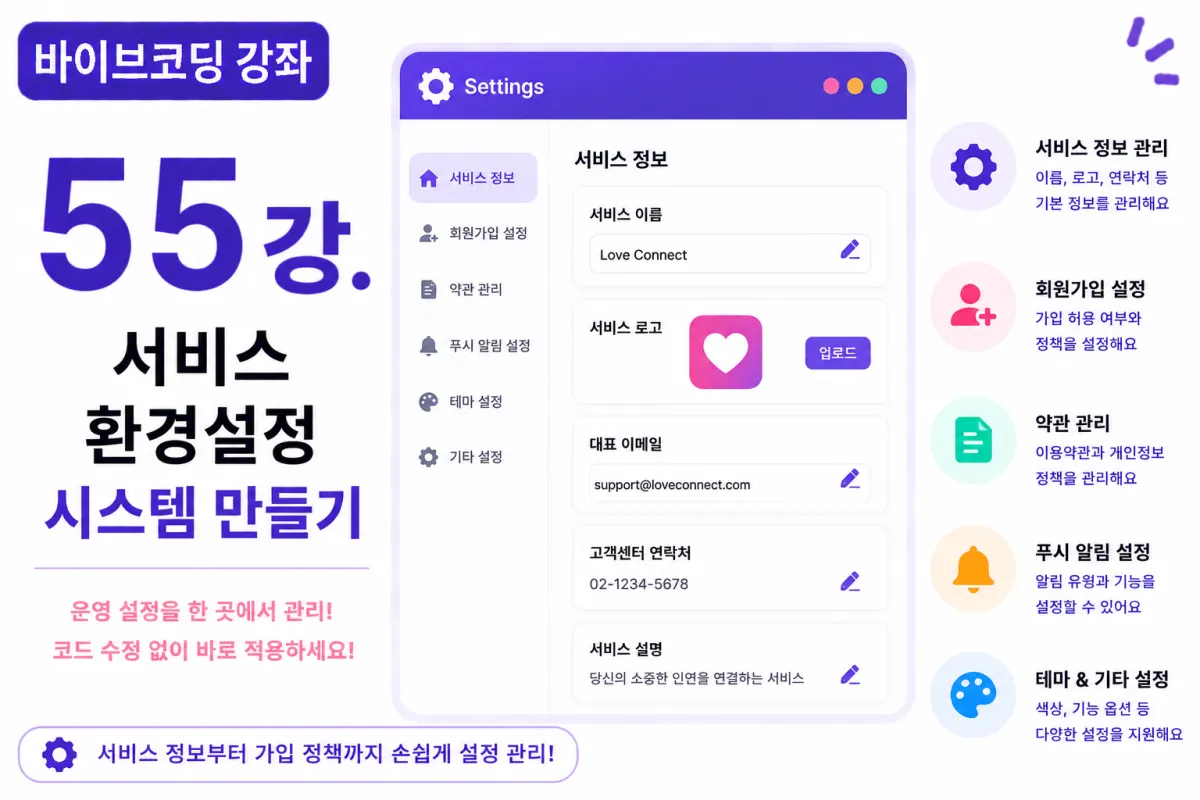
What You'll Learn in This Lesson
Last week, we implemented a notice management system.
Now, administrators can deliver important announcements to users.
In this lesson, we'll build the final core feature for service operations:
Settings (Environment Configuration) system.
Here's what we'll cover together:
Managing service information
User registration settings
Terms of Service management
Push notification configuration
Image uploads
Operational environment management
After this lesson, administrators will be able to operate the service without modifying code.
What Is Settings?
The settings feature manages essential information required for service operations.
For example, administrators can change:
Service name
Logo
Email address
Customer support contact
on the admin dashboard without touching code after deployment.
Database Design
Settings information is managed in a single table.
For instance, we create a table named:
settings
The columns are sufficient with:
key
value
updated_at
A key-value structure offers excellent scalability.
Requesting Help from Cursor AI
First, we ask Cursor AI to:
Build a settings management page using Next.js and Supabase.

Allow administrators to modify service name, logo, registration settings, etc.
The AI writes both the CRUD interface and the logic for saving settings.
Managing Service Information
We start by managing these details:
Service name
Service description
Logo
Favicon
Primary email address
Customer support contact information
This information is used throughout the application.
User Registration Settings
Registration policies are also managed through settings.
For example, administrators can toggle between:
Allow registration

Temporarily disable registration
This is useful during maintenance periods as well.
Terms Management
Administrators can also update Terms of Service and Privacy Policy.
Using Toast UI Editor makes managing long documents easier.
Push Notification Settings
Push notifications are controllable by administrators.
For example, they can configure:
Enable all notifications
Event notifications
Announcement notifications
Marketing notifications
and more.
Logo Upload
The service logo is uploaded to Supabase Storage.
After upload, the image URL is saved in the Settings table.
Users can see the new logo simply by refreshing the page.
Theme Configuration
Service colors can also be managed through settings.
For example, changing:
Primary Color
Secondary Color
will update the entire app's color scheme.
Improving with Cursor AI
After completing features, ask Cursor AI:
Improve the Settings management interface to be more visually appealing.
The AI suggests improvements like:
Tab-based navigation
Card layout design
Responsive UI elements
Caching Considerations
Settings don't change frequently.
Therefore, loading them once at app startup and storing in cache improves performance significantly.
Security Considerations
Only administrators should be able to modify settings.
API endpoints must verify permissions.
Applying Row-Level Security (RLS) policies enhances security further.
Testing the System
Test in this order:
Admin login
Change service name
Update logo
Modify registration settings
Edit Terms of Service
Verify on user-facing screens
If everything works, the Settings system is complete.
GitHub Commit Message
When ready, ask Cursor AI to:
Create a commit message for implementing the Settings system.
Maintaining feature-specific commits makes project management much easier.
Additional Features in Production
In real services, these additional features are common:
SMTP configuration
OAuth settings
API key management
CDN configuration
Advertising settings
Pricing and payment configurations
This project focuses on basic settings implementation.
Administrators Can Now Manage Your Service Directly
After this lesson, administrators will be able to change everything from service name to registration policies directly.
No more needing developers for minor changes requiring redeployment.
Project Completion at 95%
The features implemented so far are close to production-ready.
We now have everything from user registration through real-time chat, matching systems, admin panels, and operational features.
What remains is advanced optimization for more stable service operation.
Next Lesson Preview
The next lesson will implement a Log and Activity Tracking system.
We'll create a way to record user activities and admin actions, making it easier to trace issues and improve operational efficiency.
Closing Remarks
In this lesson, we built the service settings (environment configuration) system.
By implementing features like managing service information, registration policies, terms of service, and logo changes, we've created a foundation for administrators to operate services directly.
The next lesson will focus on building logs and activity tracking systems for more stable operations.
FAQ
What is the key benefit of this Settings system?
Administrators can modify service settings without requiring code changes or redeployment.
How does the database structure work for settings?
It uses a simple key-value table with columns for key, value, and last update time.
Korean Source
This article is an English localization of a Korean-language report from BlogScore. Original: [바이브코딩 강좌] 55강. 서비스 환경설정(Settings) 시스템 만들기