
Build Your Own Blog with Python Flask: A Step-by-Step Guide
Introduction
Hello.
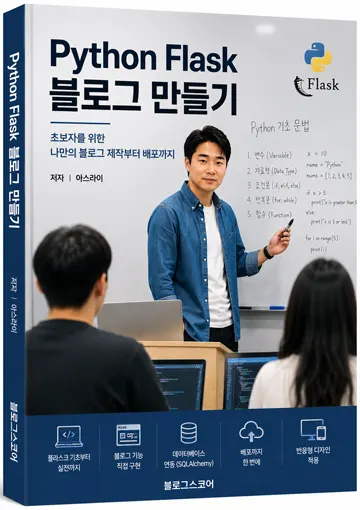
In this course, we'll build your very own blog from scratch using Python Flask, creating a complete project that you can actually use.
If you're new to Python, you might be wondering:
'I know the basics like variables and loops, but I'm not sure how to apply them.'
Learning just syntax without seeing practical applications can quickly become boring.
That's why this course focuses on creating something useful—a real project you'll actually use, rather than just learning syntax.
We're building more than a simple example. You'll create a fully functional blog where you can:
Write posts,
Upload images,
Log in as an administrator,
And search through content.
By the end of this course, you won't just know Flask syntax—you'll have actual experience building web services with Python.
What You'll Learn in This Course
We'll build everything step by step:
Setting up a Flask development environment
Creating your first web page
Using HTML templates (Jinja2)
Designing your blog with CSS
Connecting to MySQL database
Building post creation and listing features
Implementing view, edit, and delete functionality
Adding image uploads
Creating an admin login system
Adding search and pagination
Deploying to a Windows server
By following along step by step, you'll end up with a complete blog.
Why Choose Flask?
Python has several web frameworks available, with Flask and Django being the most popular.
We chose Flask for this course because it's the easiest to learn for beginners,
And helps you understand how websites actually work.
You'll build features one by one, naturally learning the fundamentals of web development along the way.
Once you understand Flask well, picking up other frameworks like Django or FastAPI will be much easier.
What Your Blog Will Be Able to Do
By completing this course, your blog will have these features:
Main page
Post listings
Post detail views
Post creation
Edit posts
Delete posts
Image uploads
Admin login system
Search functionality
Pagination for posts
Data storage with MySQL
Deployment on Windows server
We're aiming for a blog that's not just visually complete, but fully functional and ready to run.
Who Should Take This Course?
This course is especially helpful for:
Beginners learning Python
Those new to Flask
People starting their web development journey
Anyone wanting to create their own blog
Developers needing a portfolio project
Those who want to build web services with Python
If you're already using Flask professionally, you might find the basics too simple.
What You'll Need Before Starting
This course is based on Windows environment. We'll install everything together step by step.
Python
VS Code
Flask
MySQL
No need to worry if you're new to installation—we'll cover everything in detail so you can start without stress.
Let's Build Together
Web development might seem hard at first,
But as you build each feature, you'll see how pages connect, data gets stored, and your blog actually works.
This experience creates confidence that pure syntax study can't match.
We've focused on learning by building, not complex theory.
Follow along slowly, and before you know it, you'll have your own Python Flask blog ready to go.
Let's start with the first lesson together!
FAQ
Is Flask difficult for beginners?
Flask is designed to be easy for beginners as it has a simple structure and focuses on building features step by step.
Do I need prior web development experience?
No, this course starts from the basics and guides you through everything needed to build your first blog.
Korean Source
This article is an English localization of a Korean-language report from BlogScore. Original: [Python 강좌] Python Flask 블로그 만들기, 지금부터 함께 시작합니다.