
Automated Matching in Dating Apps: Building the Core Feature
What You'll Learn in This Lesson
In the previous lesson, we implemented:
Likes functionality
Dislikes functionality
Passing functionality
Now users can express interest in other members.
This lesson will focus on implementing the core feature of dating apps: Automatic Matching (Matching).
We'll cover these topics together:
Checking for mutual likes
Creating matches
Preventing duplicate matches
Match notifications
Chat preparation
By the end of this lesson, your app will automatically match users when they both click 'like,' just like a real dating application.
When Is a Match Created?
A single 'like' doesn't immediately create a match.
For example:
If User A likes User B, but User B hasn't responded yet,
no match is created.
However, if User B also clicks 'like' on User A, they're automatically matched at that moment.
Database Design
Match information is managed in a separate table.
We'll create a table named:
matches
The basic fields we store are:
Match ID
User A
User B
Match time
Status (active)
This structure allows easy integration with future chat features.
Requesting Help from Cursor AI
First, we'll ask Cursor AI to implement the following:
Implement a feature that saves to the matches table when users mutually click 'like' using Supabase Database.
Prevent duplicate matching.
The AI will suggest necessary SQL and processing logic.
Checking for Mutual Likes
When a user clicks the 'like' button,
the system first checks whether the other user has also clicked 'like' on them.
If data exists, it immediately creates a match.
This process must be fast to provide a seamless experience.
Creating Matches
Once mutual likes are confirmed,
a new entry is saved in the matches table.
After saving, both users can access the same match information.
This data will later be used for chat room creation.
Preventing Duplicate Matches
It's incorrect for the same two users to match multiple times.
Therefore, before creating a match,
we check if data already exists in the matches table.
If it does, we don't create a new match.
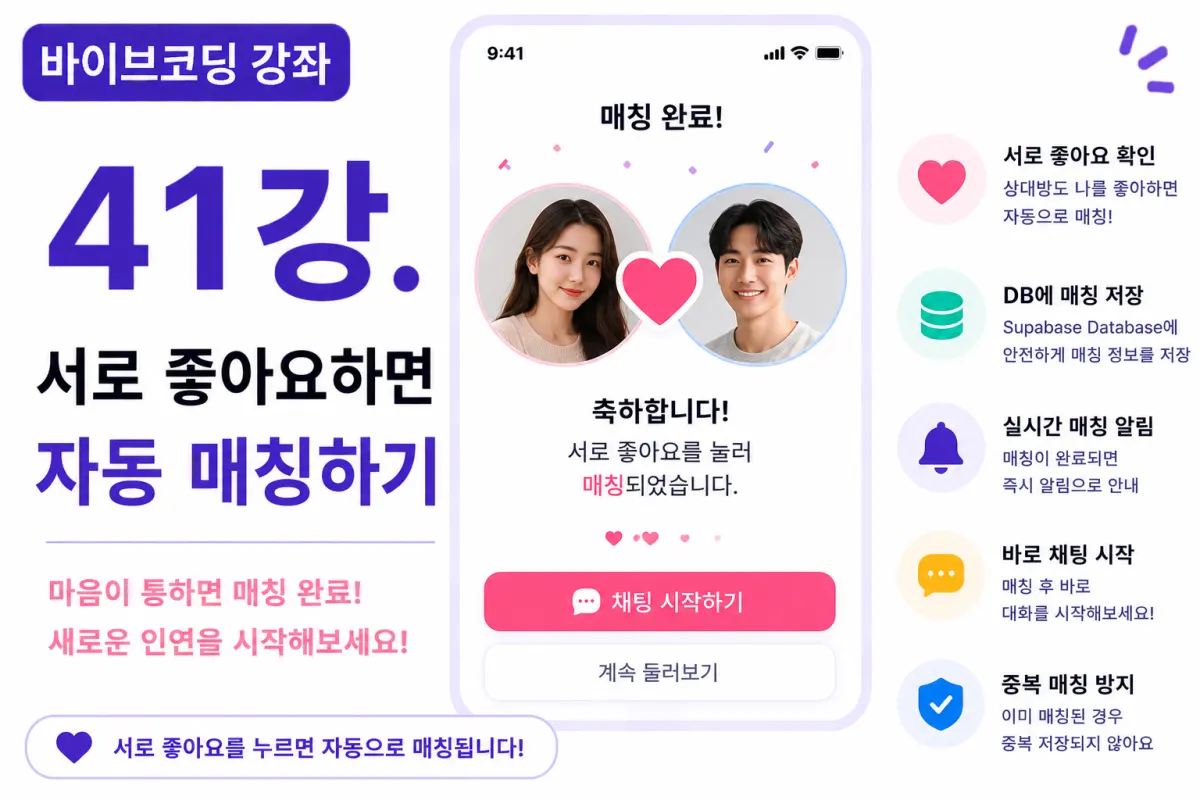
Match Success Screen
After a successful match,
a special screen is displayed to users.
For example:
🎉 Congratulations!

You've matched by both clicking 'like'.
This message conveys the excitement of finding a match.
Adding Animations
To enhance the experience,
a simple animation can be added on success, such as:
Heart animations
Confetti effects
Card zoom effects
The animations should feel celebratory without being overwhelming.
Chat Start Button
After a match is complete,
Start Chat
a button appears to begin chatting.
We haven't implemented chat functionality yet,
but we're preparing for it in the next section.
Real-time Matching
Using Supabase Realtime, we can display a match screen immediately when someone clicks 'like'.
This lesson sets up the structure,
and Realtime implementation will be covered in the chat section later.
Updating Match Lists
When a match is created,
it's immediately added to the match list.
Without requiring a refresh,
this automatic update significantly improves user experience.
Improving with Cursor AI
After completing the feature,
we'll ask Cursor AI:
Improve the automatic matching feature for greater efficiency.
The AI will suggest improvements such as:
Code refactoring
Function separation
Performance optimization
Considering Performance
We don't query all data when a user clicks 'like'.
Instead, we only check the current user's and the other user's likes to determine if a match should be created.
Only retrieving necessary data is important for performance.
Testing
We'll test in this order:
Login as User A
Click 'like' on User B
Login as User B
Click 'like' on User A
Verify automatic matching
Check the matches table
If everything works correctly,
the automatic matching feature is complete.
GitHub Commit
After completing the feature,
we'll ask Cursor AI to write a commit message:
Write a commit message for implementing the automatic matching feature.
Maintaining project history by feature is an important practice.
Additional Features in Real Applications
In real services,
these features are also provided:
Match cancellation
Automatic expiration after a period
Notification settings for matches
Premium priority matching
This project implements only the basic automatic matching feature.
Your App Is Now a Real Dating App
By the end of this lesson,
users can automatically match when they both click 'like'.
No longer just a profile app, your application now connects people like a real service would.
Next Lesson Preview
In the next lesson,
we'll create a match list screen where users can view all their matches at a glance and navigate to chat.
This will lay the foundation for building our chat system.
Conclusion
In this lesson, we implemented an automatic matching feature.
We covered like data comparison, match creation, duplicate prevention, and success screens,
completing a core dating app functionality.
The next lesson will focus on creating a match list screen to help users easily manage their matches.
FAQ
How does automatic matching work in dating apps?
Automatic matching occurs when two users both click 'like' on each other, triggering an instant connection without manual intervention.
Why is duplicate matching prevented?
Preventing duplicate matches ensures the same pair doesn't match multiple times, which would be confusing and incorrect for user experience.
Korean Source
This article is an English localization of a Korean-language report from BlogScore. Original: [바이브코딩 강좌] 41강. 서로 좋아요하면 자동 매칭하기