
AI Development Environment Setup Project: Installing Docker and Docker Compose
AI Development Environment Setup Project: 2nd Lesson
Installing Docker and Docker Compose
Last time, we created a dedicated Ubuntu Server VM for AI development on Proxmox.
Now, let's install the first program needed to build our AI development environment: Docker.
In this project, we'll run most of the programs we'll install in Docker containers.
Forgejo Git server
MCP Server
Other management tools
Managing everything through Docker containers will make administration much easier.
[Image 1: Docker logo and container concept illustration]
Why Use Docker?
In the past, installing a program typically meant installing it directly on the operating system.
However, as more programs were installed, version conflicts and configuration issues became common.
For example, after installing a Git server, then an MCP Server, and another service, they might use different library versions causing problems.
Docker was created to solve these issues using container technology.
Each program runs in its own isolated space, so they don't interfere with each other.
Ubuntu Server

├── Docker
│
├── Forgejo Container
│
├── MCP Container
│
└── Other Containers
You can restart just the needed services, and moving to another server becomes very simple.
Benefits of Using Docker
Here's why we're using Docker in this project:
Simple Installation
No complex dependency setup is needed—just run a single container.
Easily Removed
If problems arise, simply delete the container and recreate it.
Easy Backups
Backing up just the data folder allows you to restore the exact environment anytime.
Simple Server Migration
You can create the same environment on a new server using just a Docker Compose file.
Update Before Installing Docker
First, update Ubuntu to its latest version.
sudo apt update
sudo apt upgrade -y
After updating, install Docker.
Installing Docker
On Ubuntu, you can easily install Docker using the official repository.
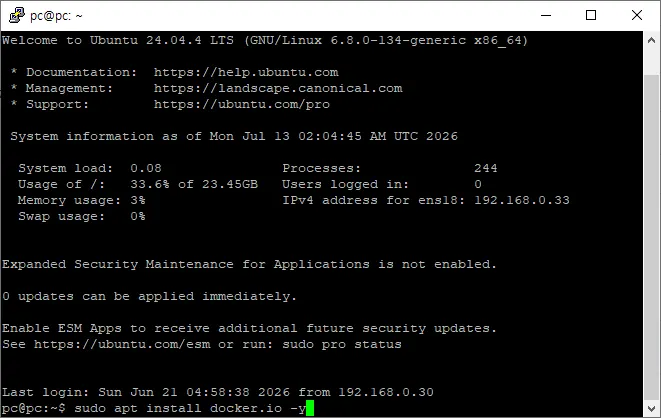
sudo apt install docker.io -y
Once installation is complete, start the Docker service.
sudo systemctl enable docker
sudo systemctl start docker
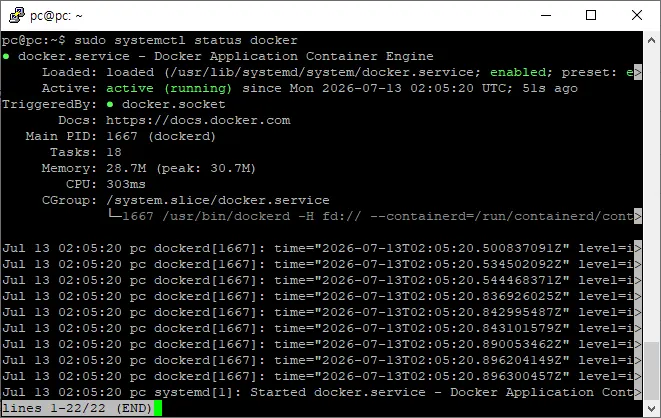
Check the status.
sudo systemctl status dockerIf you see "Active (running)," it's installed correctly.
Checking Docker Version
Check the Docker version with this command:
docker --versionIf installed correctly, it will display version information.
Example
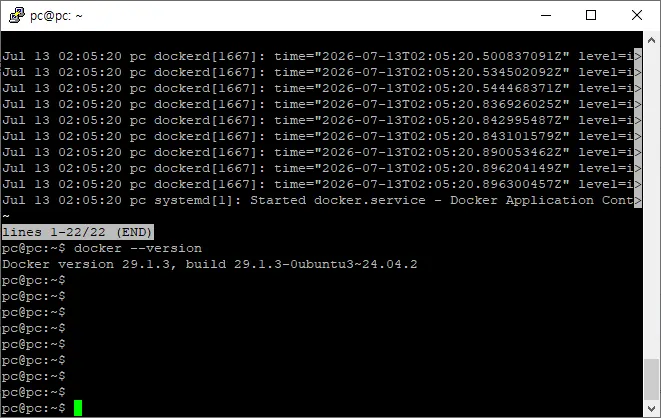
Docker version 29.x.xInstalling Docker Compose
Now, install Docker Compose to manage multiple containers at once.
sudo apt install docker-compose-v2 -yAfter installation, check the version.
docker compose version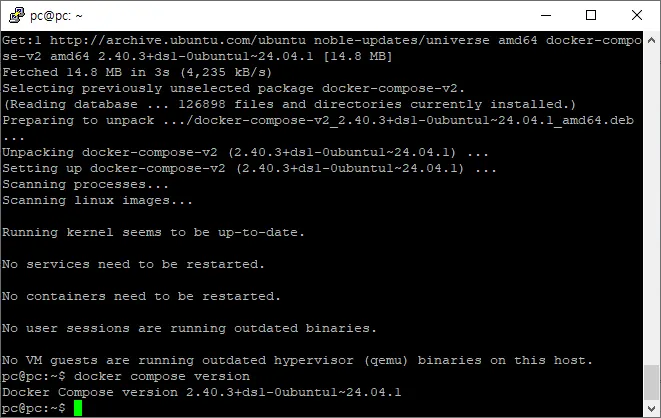
Docker Compose will be used when installing Forgejo and MCP Server later on.
Testing Docker Operation
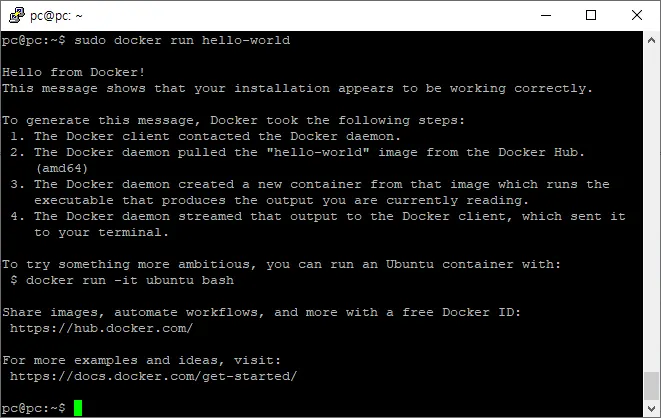
Let's test if Docker is installed correctly.
Enter this command:
sudo docker run hello-worldIf it runs successfully, you'll see this message:
Hello from Docker!This means Docker installation was successful.
Docker Basic Commands
Here are the commands you'll use most often:
Check Running Containers
docker psCheck All Containers
docker ps -aView Image List
docker imagesStop a Container
docker stop container_nameStart a Container
docker start container_nameDelete a Container
docker rm container_nameYou don't need to memorize all of these immediately.
You'll naturally learn them as we progress through the project.
Servicess to Install with Docker
In this project, most services will be configured in Docker containers.
Docker

├── Forgejo
├── MCP Server
├── Redis (if needed)
├── PostgreSQL (if needed)
└── Other management services
Using Docker allows each service to operate independently within a single VM.
Why Use Docker on Top of a VM?
Some ask:
"Proxmox is already virtualization—why use Docker too?"
The reason is different roles.
Proxmox virtualizes the operating system itself.
Docker isolates programs within the OS for execution.
In other words,
Proxmox

↓

Ubuntu Server

↓

Docker

↓

Forgejo

↓

MCP

↓

Other Services
This structure is the most manageable.
Summary of This Lesson
In this session, we installed Docker and Docker Compose for building an AI development environment.
Docker will allow us to run our Git server and MCP Server independently, making backups and migrations much easier.
In the next lesson, we'll build a Forgejo private Git server using Docker to create a version control system for our AI development environment.
Next Lesson Preview
AI Development Environment Setup Project: 3rd Lesson
Building Forgejo Git Server with Docker
Installing Forgejo
Writing Docker Compose files
Creating the first admin account
Creating repositories
Registering SSH keys
Testing Git Push
FAQ
What is Docker?
Docker is a platform that uses containers to isolate applications from the operating system, allowing independent operation without version conflicts.
Why use Docker with Proxmox?
Proxmox virtualizes the OS while Docker isolates applications within the OS, creating a layered structure for better management of services.
Korean Source
This article is an English localization of a Korean-language report from BlogScore. Original: [AI 개발환경 구축 프로젝트] 2강 Docker와 Docker Compose 설치하기